

Top 5 Label Design Tools for Professional-Looking Products

Create product labels that look sharp—no graphic design degree required
Whether you’re just getting your business off the ground or scaling up fast, having the right label software can make or break your product presentation. Great design doesn’t have to be complicated—or expensive. You just need the right tools.
We’ve rounded up five popular label software programs that can help you customize, print, and upgrade your labels with ease. Some are free. Some are built into popular platforms. One of them? It’s ours (and for good reason).
Let’s find the one that fits your vibe, your workflow, and your goals.
What to look for in label software
Not all label tools are created equal. Here are a few features worth having on your checklist:
- Templates that work smarter. Whether you want a blank slate or a head start, look for tools with editable templates.
- Easy uploads. Make sure you can drop in your logo or product artwork without needing ten extra clicks.
- Barcode + QR code options. Especially important if you’re selling in stores or tracking inventory.
- Custom sizing. Flexibility matters when your label needs to wrap, fold, or fit a unique surface.
- No design experience required. Unless you want to design from scratch—then make sure your tool can keep up.
1. Avery Design & Print
Built for labels. Free to use. Surprisingly powerful.
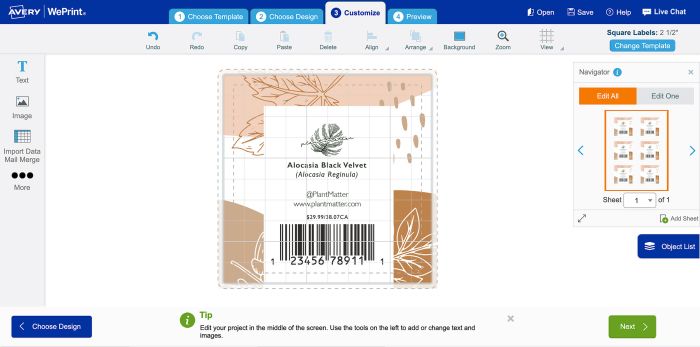
If you’re using Avery products (rolls, sheets, stickers cards, tags—you name it), this tool is designed to make the process simple. Choose from 3,000+ templates, upload your own artwork, add barcodes or nutrition facts, and switch between printing at home or ordering professionally printed labels in just a few clicks.
Why we like it:
- Made specifically for label design
- Works seamlessly with Avery products
- No downloads required—runs in your browser
- Variable data printing and custom shapes supported
Best for: Beginners to pros who want full control over their label design and printing process.
? Try Avery Design & Print
2. Canva
Drag, drop, done. Great for visual thinkers.
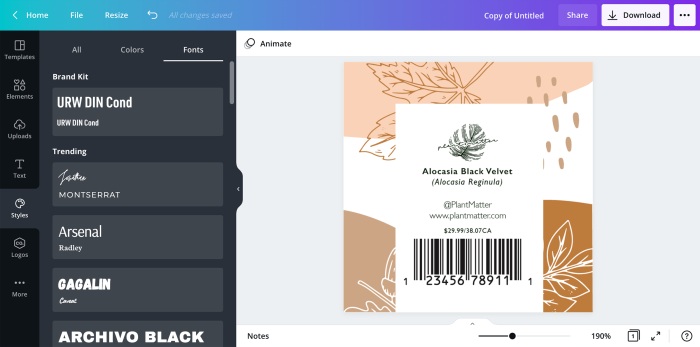
Canva is a go-to for many small businesses—and with good reason. The drag-and-drop interface is beginner-friendly, and the design possibilities are nearly endless. While it’s not built specifically for labels, you can create a custom-size design, save it as a PDF, and easily upload it to a professional label printer like Avery.
Why we like it:
- Free version includes tons of templates and fonts
- User-friendly for any skill level
- Great for brand consistency across products and packaging
Best for: Creatives, side hustlers, and anyone who wants their labels to look uniquely them.
? Learn how to upload Canva designs to Avery
3. Maestro Label Designer
Built for Online Labels, but worth a look.
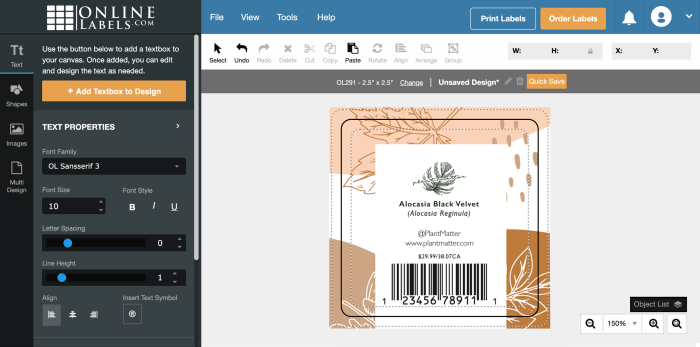
This tool is specifically made for Online Labels customers. The interface is straightforward, and it includes basic design features like text tools, shapes, barcodes, and nutrition label templates. You’ll need a code from a recent order to unlock full access, but it gets the job done.
Why we like it:
- Built-in tools for barcode and nutrition label creation
- Templates match Online Labels products
- Auto-align features to help with precision
Best for: Small businesses using Online Labels for their printing needs.
4. Microsoft Word
Old school, but gets the job done.
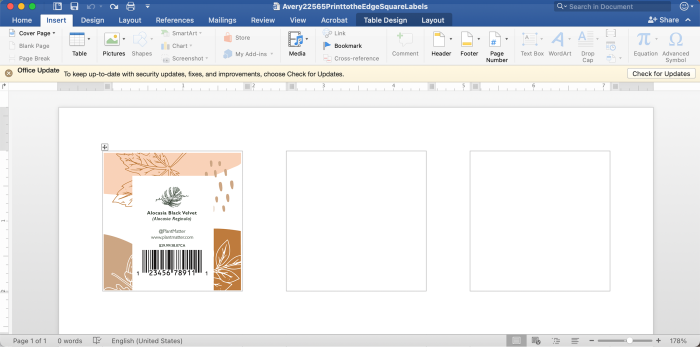
We wouldn’t call it elegant, but if you already know your way around Word, you can use it to create basic labels. Download a template (Avery offers them), add your text and images, and print directly from your home printer.
Why we like it:
- Familiar interface for most people
- Plenty of downloadable templates
- No extra cost if you already have Microsoft 365
Best for: DIYers who want to keep it simple and stick with what they know.
5. Adobe Creative Suite
Pro-level tools for pro-level results.
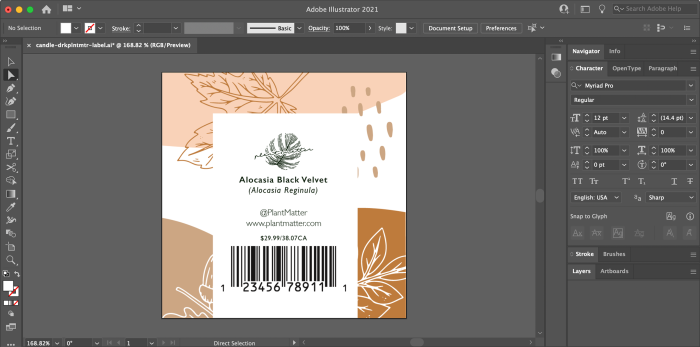
If you (or your designer) are comfortable in Illustrator, Photoshop, or InDesign, the Adobe suite gives you total creative freedom. It’s overkill for beginners, but if you’re producing premium labels and need absolute control over your design—this is your playground.
Why we like it:
- Ultimate flexibility in layout, type, and design
- Precision editing and export options
- Great for layering artwork and creating dielines
Best for: Experienced designers and businesses that need custom, high-end packaging design.
Which label software is right for you?
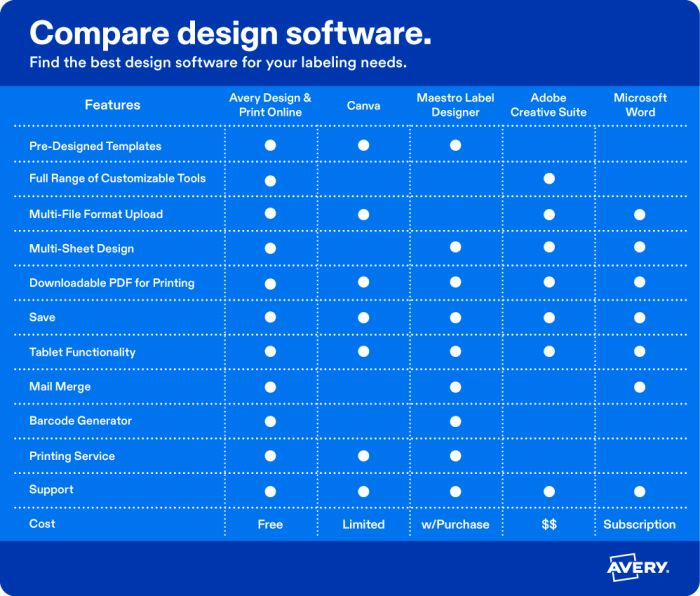
Still not sure which tool to pick? Here’s a quick side-by-side comparison to help you choose the one that fits your goals, skill level, and budget.
Ready to design your labels?
Once you’ve picked your software, we’ve got everything else you need—from blank label sheets to custom printed rolls and sheets made just for your business.
? Want to start from a ready-made template? Browse free product label templates you can customize in just a few clicks.
Related articles
Want to go deeper? Here are a few helpful reads:
Need help with your labels?
We’re here for it. If you have questions about designing, printing, or choosing the right label for your product, reach out to our Customer Care team at (800) 942-8379. We’re real people who actually like talking about labels.
Want to show off your finished product? Connect with us on social—we love seeing what you’re creating.
Tag your creations with #averylabels so we can cheer you on!

