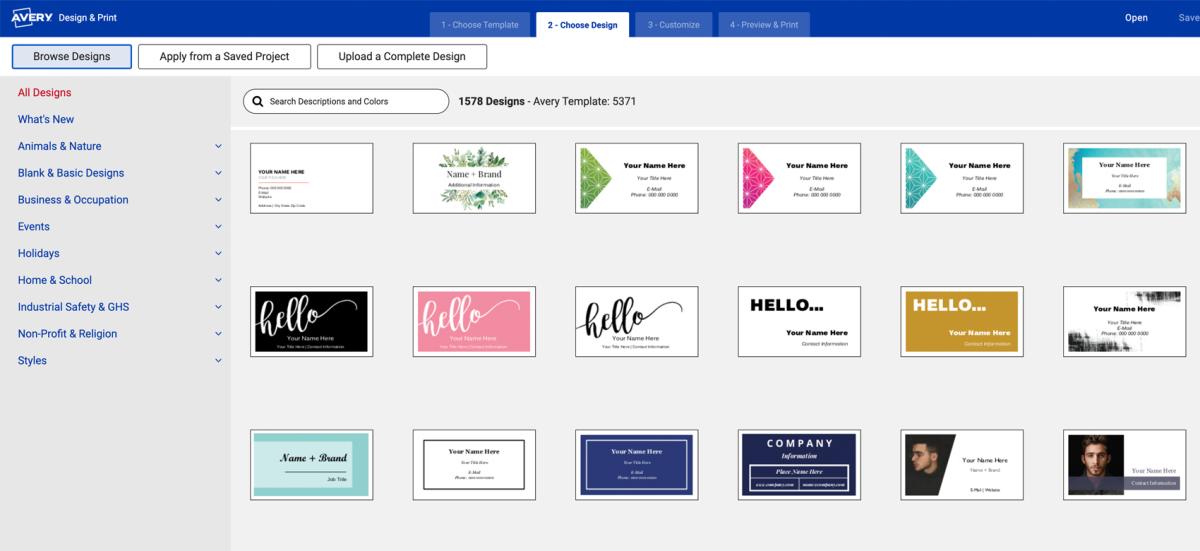
An online business card maker you can rely on
With Avery Design and Print Online, making business cards is quick and easy. Make the switch to an intuitive online business card generator that lets you create professional designs in minutes. Whether you use printable Avery business cards or order them custom-printed, you have full control. The Avery Design and Print business card maker gives you the power to create cards that fit your brand perfectly.
Over 1,000 free business card templates
Avery business card templates are free, and you can make them unique for your brand with our business card maker. In fact, with Avery Design and Print Online, you can add your own logo, upload designs from Canva, or even make QR code business cards. Plus, you have the option to download templates for free. What's more, you can store your projects on the cloud and distribute them via email. For more inspiration, check out our article featuring our favorite modern business card templates.
Access the power of custom business card design
Creating custom business card designs is easy with Avery Design and Print Online (ADPO), even if you have no design experience. The business card maker platform offers user-friendly, drag-and-drop tools that let you personalize your cards quickly. Whether you're rebranding or making business cards for the first time, ADPO has everything you need to make DIY business cards that look professional and stand out.
Design custom business cards,
whether you're new to it or an expert






TEMPLATES
Free business card templates
The Avery business card maker offers a simple way to design professional cards with ease. It includes a wide selection of classic and trending free business card templates that you can customize to match your unique style and business needs.

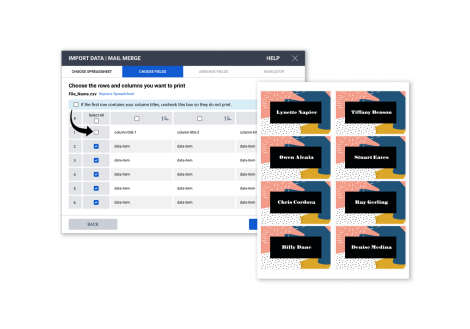
MAIL & DATA MERGE
Quickly import varied information
Our business card maker allows you to easily import data, making it perfect for creating multiple cards at once. This feature saves time and ensures accuracy, especially when you're working with large contact lists or complex details.
BARCODE GENERATOR
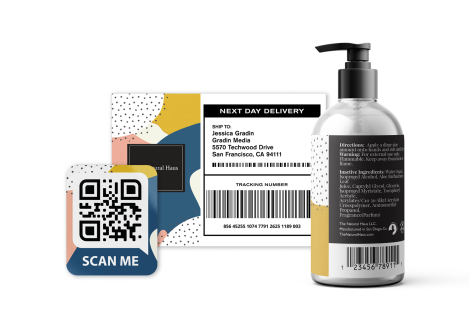
Add a QR code to business cards for free
Avery Design and Print Online includes a built-in barcode generator—there is no widget or app to install. Connect with your customers faster than ever before on your website, social media accounts, or any URL you choose.
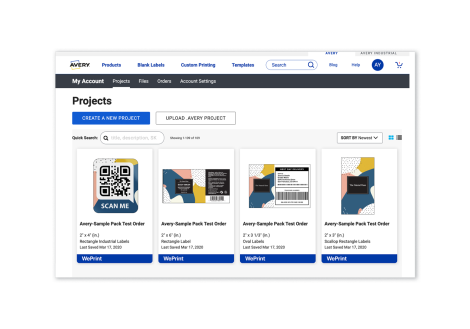
ACCOUNT BENEFITS
Save projects and files to your account
Quickly save your business card projects, along with frequently used images and logos, for easy editing, reordering, and sharing. You can use our business card maker on any smart device, at any time.
Sign Up or Sign InFAQs on free templates, custom designs, and printing your business cards
How do I make a business card with the Avery business card maker?
Start by choosing one of our free business card templates. Click on your favorite design to see multiple card shapes and size options. Then, customize it with your own text, images, or logo. Finally, print on Avery business card sheets or order them professionally printed. You can also save and reorder your designs anytime.
Do I need design experience to use the Avery business card maker?
Not at all. The tool is beginner-friendly with drag-and-drop editing, text and image tools, and pre-designed templates. You can create polished, professional cards in minutes—even if you’ve never designed one before.
Can I upload my own logo or artwork to a business card design?
Yes. You can upload logos, photos, or artwork directly into your card template and adjust the size, placement, and layout until it looks just right. If you need help, we have a tutorial that walks you through adding images, shapes and more.
Does Avery offer free business card templates?
Yes. Avery offers over 1,000 free templates in a wide range of styles that fit our various business card shapes and sizes. To get started quickly, simply browse by business card designs and click on your favorite to see how it looks on different card shapes and sizes. You can choose from modern, classic, creative, or industry-specific designs and then customize them to fit your brand.
Can I add a QR code or barcode to my business cards?
Absolutely. The built-in barcode and QR code generator lets you link to a website, social media profile, or other digital destination. It’s free to use and easy to add during design.
What printing options are available for my business cards?
With Avery you can print your business card designs at home or order custom-printed cards. Avery printable business card products can be found right here on Avery.com or via your favorite online and in-person retailers. All you need is a regular inkjet or laser printer. You can also order business cards custom-printed through Avery WePrint® for a professional finish delivered to your door.
Can I save my business card projects to use later?
Yes. When you create an Avery account, you can save your projects in the cloud. This makes it easy to edit, reorder, or share your cards from any device at any time. The best part is that you don’t need a fancy pro account to share with your collaborators—it’s easy to get a link that you can send via email, text, or any messaging app.
Is the Avery business card maker free to use?
Yes. The Avery business card maker and all its templates are free. You only pay for the blank business card products you choose to print on, or for professional printing through WePrint.