Gift tag maker FAQs: what to know before you start
What is a gift tag maker?
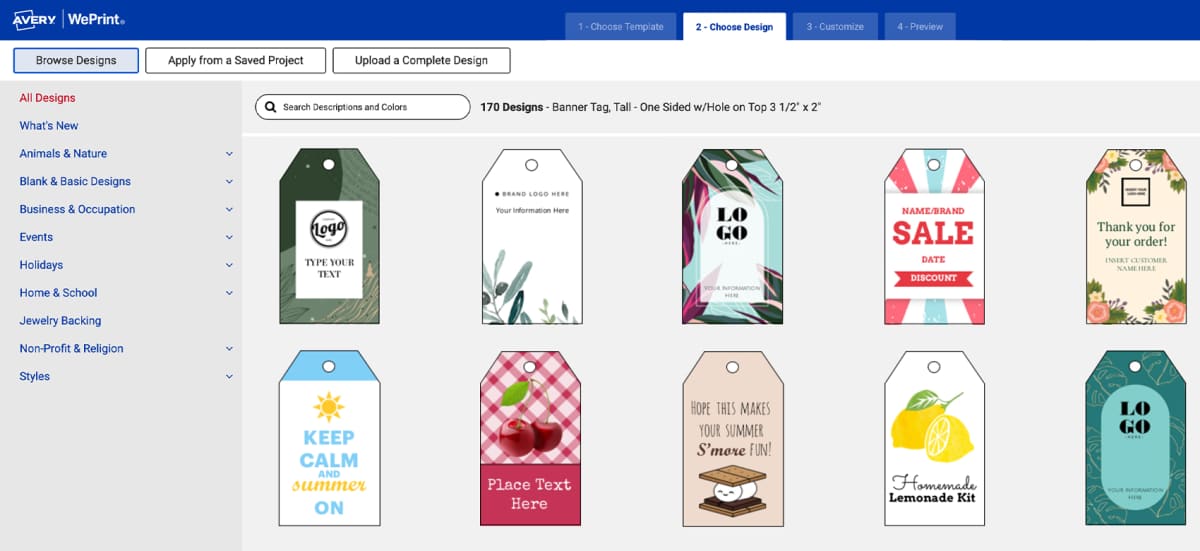
A gift tag maker is an online tool that lets you design and customize tags for presents, favors, or events. The free Avery gift tag maker includes ready-to-use templates, easy design tools, and the option to print your tags at home or have them professionally printed. It’s a simple way to create tags that look polished and personal.
How do I make photo gift tags?
You can create photo gift tags by choosing a template, uploading your photo, and customizing with names or text. Once your design is ready, print at home on Avery tags or order custom printed tags delivered to you. If you need help, these step-by-step instructions will walk you through adding image files in our online tool.
What size should photo gift tags be?
Most Avery photo gift tags are sized around 2" × 3.5" and available in shapes like a round gift tag template depending on the look you want. For the best results, use a photo that’s at least 300 dpi resolution—for example, about 600 × 900 pixels will print clearly at 2" × 3".
Can I upload multiple photos to make different gift tags?
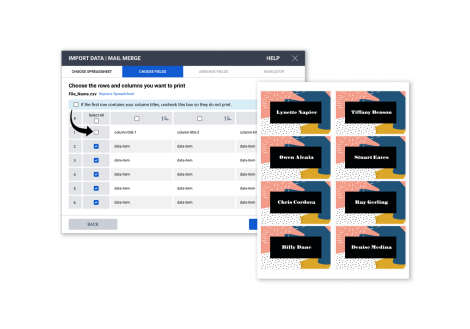
Yes! Our gift tag maker lets you upload multiple images and apply them individually or across a batch of tags. It’s perfect for events, family gifts, or business packaging when you want each tag to feature something different.
What are printable gift tags and how do I use them?
“Printable gift tags” can mean two things: the cardstock sheets you run through your printer or the digital designs you print out. Avery printable gift tags are pre-scored so they separate cleanly after printing. With our gift tag maker, you can create your own printable designs from scratch or use our free gift tag templates to print.
How do I create personalized gift tags that stand out?
The best way to make personalized gift tags that stand out is to start with a predesigned template so your look is cohesive. Whether you’re using our platform as a Christmas gift tag maker for holiday projects or choosing specialty layouts like a thank you tag template—you can add your own unique details. After you’ve chosen a design, you can make it uniquely yours by adding photos, logos, your company colors, or custom messages.
What’s the difference between DIY gift tags and custom printed tags?
DIY gift tags are made by you from start to finish, on a standard desktop or office printer. You can print however many you want, any time that you want them. Custom printed tags are professionally printed on industrial digital printers and delivered to you—ideal when you need larger quantities or premium finishes. Both options start with the same easy-to-use Avery design tools that you can DIY without a professional graphic designer.
How do I make a gift tag?
Designing your own personalized gift tags is as easy as choosing a tag in the gift tag maker, choosing a design, then adding custom elements and messaging. Once you’ve made your design, you can print gift tags at home or order them custom printed. For a more detailed walkthrough for how to make personalized gift tags, check out the Avery blog.