Professional jar labels made simple
Your jars deserve labels that look as good as what’s inside. With the free jar label maker from Avery, you can design custom labels that are ready for the shelf, the market, or your online store. Create jar labels, lid labels, freshness seals, safety seals or tamper-resistant seals to keep your jars labeled and secure.
1. Start with the right template
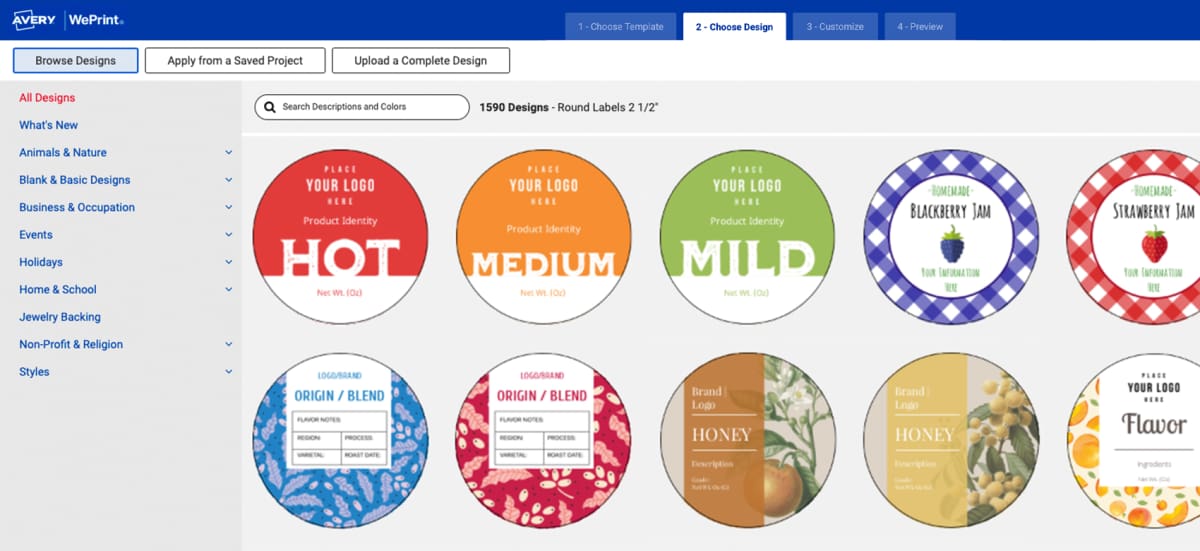
Kick things off in Avery Design and Print Online (ADPO) and explore a wide variety of templates made for small business packaging. From sauces and honey to condiments and spreads, you’ll find a starting point that fits your product. Pick a look you like and make it your own.
2. Customize every detail
Add your product name, ingredients, nutrition facts, logo, or barcode in just a few clicks. Play with fonts, colors, and layouts until it feels on-brand. The tools are simple and intuitive, so you get pro-looking labels without needing design experience.
3. Print your way
Order premium, ready-to-use labels with Avery Custom Printing for a polished finish that’s built to last. Or, if you need labels on the spot, print with Avery blank labels using your own printer. Either way, your labels line up perfectly and look sharp on every jar.
Create jar labels or lid labels that make your business look as professional as it feels, whether you’re selling at farmers markets, shipping nationwide, or stocking local shelves.
Create homemade jars with a professional look





TEMPLATES
Free templates to design your jar labels
Jump-start your design with free jar label templates in Avery Design and Print Online. Choose from a variety of styles built for small business packaging, or upload your own artwork to make it truly custom. You can even download a template in PDF, Word, Illustrator, or Photoshop formats if you’d rather work in your favorite design software.

MAIL & DATA MERGE
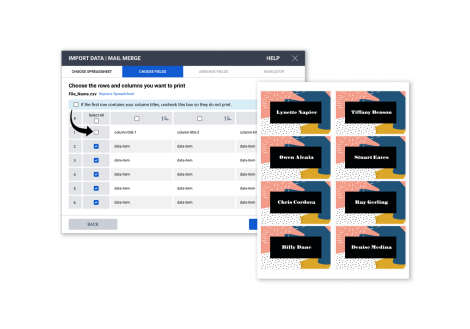
Import product details to personalize multiple jar labels
Need to label batches of jars at once? Use the built-in variable data feature to automatically fill in product names, ingredients, prices, or barcodes across your sheet. It’s the fastest way to make custom jar labels in bulk without editing each one individually.
BARCODE GENERATOR
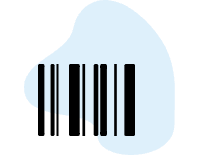
Add barcodes or QR codes to your labels
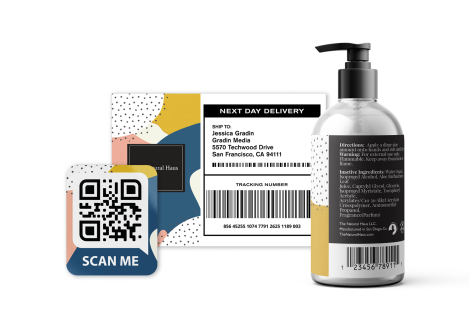
Make your packaging retail-ready by adding barcodes or QR codes directly in the jar label maker. Link customers to your website, product details, or promotions while keeping your jars compliant and professional.
ACCOUNT BENEFITS
Save and reuse your label designs anytime
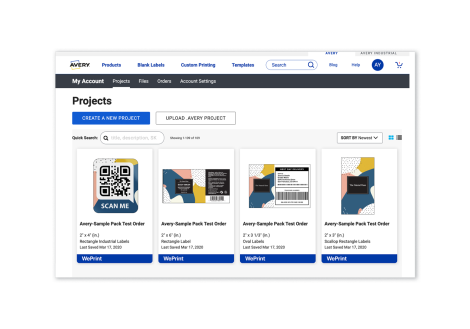
When you sign in with a free Avery account, your projects are always saved and easy to access. Share with your team, update ingredient lists, refresh branding, or reorder labels whenever you need to. Whether you print on demand or order custom printing, your designs are ready when you are.
Sign Up or Sign InFrequently asked questions
How does the free jar label maker work?
It’s simple. Open Avery Design and Print Online, pick a jar label template, customize it with your branding, and order custom labels through Avery custom printing or print them yourself.
Can I order custom-printed jar labels?
Yes. With Avery custom jar labels, you get professionally printed labels on premium materials and finishes, then shipped right to you and ready to apply.
Can I print jar labels at home?
Absolutely. You can use Avery blank labels with your own printer for on-demand labels whenever you need them. The jar label maker ensures your design lines up perfectly.
Do I need design experience to use the jar label maker?
Nope. The tool is made for everyone. Just drop in your product name, ingredients, logo, or barcode, and adjust fonts, colors, and layouts until it feels right for your brand.
What types of products can I use jar labels for?
Our labels are ideal for small business packaging, including sauces, honey, condiments, jams, spreads, candles, and more. They're also great for lid labels, safety seals and freshness seals.
Are there order minimums for custom printing?
No minimums. You can order as few or as many labels as you need, which makes it easy to test new products or refresh your branding.
Are Avery labels waterproof or oil-resistant?
Yes. Avery offers a variety of materials, including waterproof, oil-resistant, and durable film labels that are perfect for products like sauces, honey, or skincare.
Can I add barcodes or nutrition facts to my jar labels?
Yes. Our free barcode generator lets you add barcodes, QR codes, ingredients, and nutrition panels so your packaging is compliant and retail-ready.