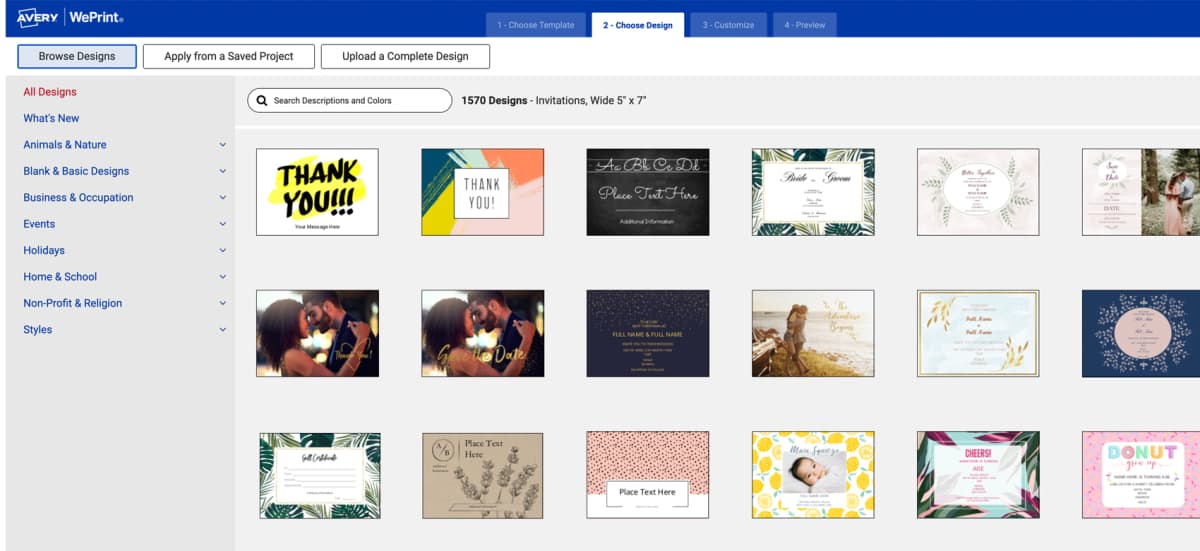
The online Avery invitation maker puts you in control
With Avery Design & Print, our online invitation maker gives you full control over the creation process. Flexibility is key, from the type of card you want to make to printing yourself or having us print for you. Use our invitation creator with templates for any Avery card product, from postcard invitation templates to folded cards in various sizes—you're the boss.
Easily find invitation templates for every occasion
What's more, our invitation maker includes all the tools you need to make invitations for any event. Unlike competitors, we offer both free designs you can customize and blank templates that help you upload and format designs for perfect printing. With our party invitation creator there is no limit to what you can do! Choose from baby shower, graduation, and wedding invitation templates to flyer and ticket invitation templates.
How to make a party invitation and more
Follow these simple steps to use the Avery invitation generator for your next party, fundraiser, or event.
1. Choose an Avery card for your party invitation.
2. Pick the perfect blank or predesigned invitation template.
3. Use the invitation maker to customize the front of your cards.
4. Edit the inside or back of your cards (postcards vs. folded).
5. Review your custom invitation design in PDF form.
6. Save, review, and print yourself, or we can print for you.
Check out this blog article for more detailed steps for making cards online with the Avery invitation maker.
Event planning newbie or seasoned pro?
Try the invitation maker designed for everyone!






TEMPLATES
Invitation maker especially for Avery cards
Creating invitations online has never been easier than with our FREE blank and predesigned invitation templates. You can easily upload completed artwork and make sure every detail is perfectly aligned. Or, choose a predesigned template and customize it in minutes. When you choose the Avery online invitation maker, it's just that simple.
Quick Answer: How to Find Templates on Avery.com

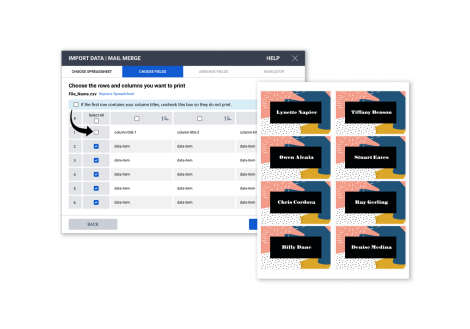
MAIL & DATA MERGE
Quickly import data to personalize invitations
The mail merge tool within the Avery invitation maker allows you to easily personalize each invitation by importing unique information, such as addressing the invite to individual guests. This feature is incredibly useful for making your invitations feel personal and customized, saving you time while ensuring each guest receives an invitation with their name on it.
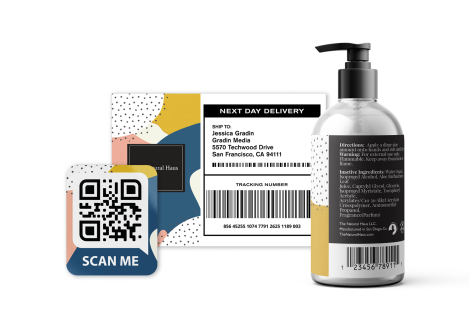
BARCODE GENERATOR
Enhance your invitations with QR codes
Our built-in barcode generator lets you easily add QR codes to your invitations. Quickly and easily link your guests to event details like maps, schedules, parking information, registries, even online wedding albums. No widget to install, and it's totally free.
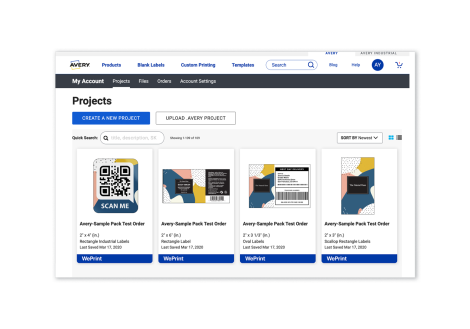
ACCOUNT BENEFITS
Save projects and files to your account
Quickly save your invitation projects along with frequently used images for easy editing and reordering. You can even share your invitation file via email from any place on any device at any time.
Sign Up or Sign InFAQs to bring your invitation ideas to life
What is the Avery Invitation Maker?
The Avery invitation maker is a free online tool that lets you create personalized invitations using blank or predesigned templates. You can customize designs, add images or text, and print at home or order your cards custom-printed through Avery WePrint®.
Do I need to download software to make invitations?
No. The Avery Invitation Maker works entirely online with Avery Design & Print, so there’s nothing to download. You can access it from any device with an internet connection.
Can I create invitations for free?
Yes. Avery offers free invitation templates you can customize and print yourself. You only pay for the cards or printing service if you choose to order through Avery.
What types of invitation templates are available?
You’ll find templates for weddings, birthdays, graduations, baby showers, holiday parties, fundraisers, and more. Templates are easy to edit to fit any occasion. Try browsing by invitation designs to get started quickly. Click your favorite design to view it on a variety of card products, then customize, and order in just a few minutes.
Can I upload my own design or photos?
Yes. You can upload your own artwork, logos, or photos to create completely custom invitations, or mix them with free Avery template designs.
How does mail merge work with the Invitation Maker?
Mail merge lets you import contact details from spreadsheets or address books to automatically add names and addresses to your invitations for a personalized touch. This article is a great step-by-step tutorial for mail merge, complete with FAQs and pictures.
Can I add QR codes or barcodes to my invitations?
Yes. The built-in barcode generator allows you to add QR codes that link to maps, registries, RSVP forms, or other event details.
Can I print invitations at home?
Yes. You can print invitations yourself using Avery cards and your home printer. Our helpful guide with expert tips makes printing at home easy, even for beginners. For a professional finish, you can also order printing directly from Avery.
Can I save and edit my invitations later?
Yes. With a free Avery account, you can save projects online, edit them anytime, and access them from any device.
Who do I contact if I need help?
You can reach Avery customer service by live chat or phone for help with templates, printing, or ordering. There is also a robust online help center for answers 24/7.