Design & Print with Stamps.com®

Print Postage with Stamps.com® Software
- Avery Shipping Labels that are 2-per-sheet (such as 5126) and our Shipping Labels with Paper Receipts (such as 5127) work with Stamps.com software and their online tools.
- We no longer offer printing of postage through Avery Design & Print Online, but you can download Stamps.com software and use the Envelopes feature to print Avery labels.
Print Your Own Postage
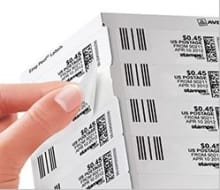
Print your address and postage labels in a few easy steps using Avery 6-per-sheet or 30-per-sheet labels and a Stamps.com® account. Buy only as much postage as you need.
Visit Stamps.com
Tips for Stamps.com
Tips for Stamps.com
If you have a Stamps.com account, you can print postage on Avery labels from stamps.com using their downloadable software (for Windows only). Go to https://www.stamps.com/download/
Visit the stamps.com Help section for step-by-step installation instructions.
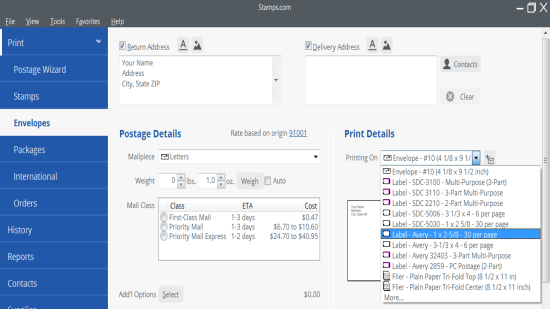
- Open the Stamps.com software and log in to your Stamps.com account.
- Choose the Envelopes option from the menu on the left side of the screen.
- Under Print Details, select the dropdown arrow next to the Printing On menu.
- Choose Label - Avery - 1 x 2-5/8 - 30 per page for 5160 sized labels or Label - Avery - 3-1/3 x 4 - 6 per page for 5164 sized labels.
Avery Shipping Labels that are 2-per-sheet (such as 5126) and our Shipping Labels with Paper Receipts (such as 5127) work with Stamps.com software and their online tools.
The stamps.com downloadable software supports printing on 30-per-sheet Avery address labels, including 5160 and 8160, and 6-per-sheet Avery shipping labels, including 5164 and 8164. To see other sizes that match these, check avery.com/match.
Avery Design & Print
Create custom labels, cards and more using our free, easy-to-use design tool.