Design & Print with Microsoft® Publisher
Design & Print with Microsoft® Publisher
- Many Avery templates are built directly into Publisher
- Easily search by product number to find Avery templates available in Publisher.
Templates for Publisher
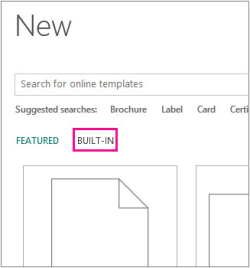
- Open Microsoft Publisher and click on Built-In from the Start page
- Click to choose a template
- Click Create to begin your publication
Tips for Avery Templates in Microsoft Publisher
Tips for Avery Templates in Microsoft Publisher
- Open Microsoft Publisher and click on Built-In from the Start page
- Click a template and check the description to see if the template is designed for your Avery product number
- If it is, click Create to begin your publication.
- If you don't see your Avery product listed, you can see if a same-sized template is included at avery.com/match.
Avery Design & Print
Create custom labels, cards and more using our free, easy-to-use design tool.