Avery Design & Print
Special Features:
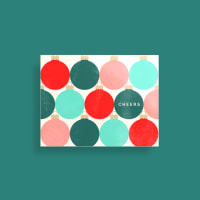
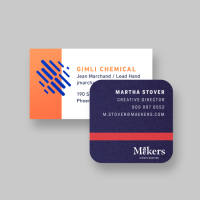
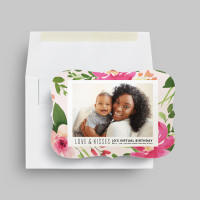
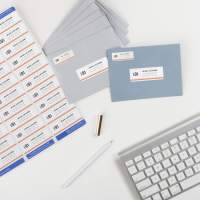
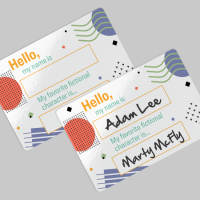
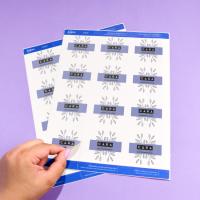
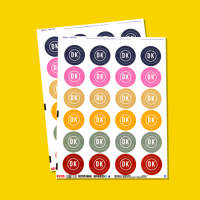
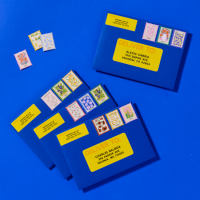
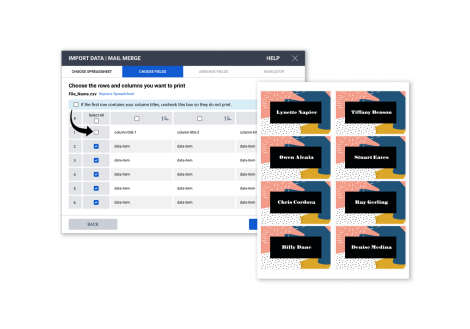
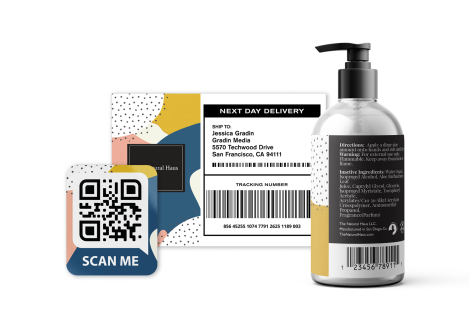
- Personalize Avery labels, cards, dividers, badges and more
- Use images from your computer or from the Avery gallery
- Go online to add new designs for home, work or school
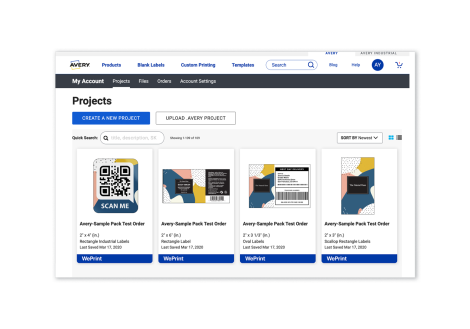
- Save your projects to the Avery cloud for access anywhere
PC System Requirements:
- Microsoft Windows 10, 8, 7, Vista or XP
- 702MB available disk space
Mac System Requirements:
- Mac OS X
- 763MB available disk space
If your system doesn't meet the requirements above, you can also find templates in Avery Design & Print Online.
Free Offer! Avery Toolbar
The Avery Toolbar lets you get templates, tips and more--right from your web browser. Download it free today!
REVIEW SNAPSHOT®
by PowerReviewsPros
- Easy to customize (658)
- Easy to navigate (624)
- Versatile (484)
- Accurate colors (451)
- Easy to collaborate across programs (334)
Cons
- Difficult to navigate (164)
- Freezes or crashes (96)
- Inaccurate controls (94)
- Not very powerful (72)
- No cons (4)
Best Uses
- Professional quality (461)
- Presentations (278)
- Educational purposes (186)
- Business cards (9)
- Labels (7)
- Job Role:
- Professional (320), Business owner (247), Administrative assistant (147), Crafts enthusiast (113), Office manager (91)
- Avery Product Usage:
- Mailing (558), Getting organized (463), Meeting/special event planning (368), Business building (325), Personal gifts (314)
- How often do you use this item?:
- Often (596), Sometimes (273), First time (209)
Most Liked Positive Review
Works like a treat for me
I can't understand all the negative reviews. Using the downloadable Windows installer for my Windows 8.1 Pro 64-bit machine, it works like a charm. It could be slightly more intuitive; however,...Read complete review
I can't understand all the negative reviews. Using the downloadable Windows installer for my Windows 8.1 Pro 64-bit machine, it works like a charm. It could be slightly more intuitive; however, it is easy to figure out if you ever used any type of labeling or greeting card software in the past (just two of many I've bought and used are Art Explosion Pro, Hallmark software, etc). Not quite as robust as Art Explosion, of course, but for free software it is quite the deal.
The program does allow me to save my address label projects (have not tried a greeting card yet, but will update once I do). It does allow reopening saved project files with no problem other than having to look at the bottom center of the Open a Saved Project tab screen once the program launches to see the correct link (middle center defaults to your online Avery account - not a deal breaker for me either way, but do prefer local machine storage as I backup regularly via Macrium Reflect free edition and Google drive).
Also, truthfully, the program does take a little longer to save and open a project than it really should, as I am using an AMD FX-6300 MHz processor, which normally blazes through whatever I through at it...this is the first program that has a several second delay when saving and opening, as well as when printing. But for free, can't complain too much.
I was ready to run when I saw the reviews, but past experience (about 8 years ago I think) with Avery software helped take a gamble, and it was well worth the roll of the dice. And did I mention, it is free?
VS
Most Liked Negative Review
Not the Brightest Tech Support
Have been using this downloaded software for a few years. It works great, until you actually need to print a file. I constantly now get an error code: Server Error. Even if...Read complete review
Have been using this downloaded software for a few years. It works great, until you actually need to print a file. I constantly now get an error code: Server Error. Even if I disconnect from the internet. I WANT TO MAKE IT CLEAR I AM NOT USING THE NEW WEB PRINT SIDE OF AVERY'S SERVICES. I use this on a daily basis. I print about 40 sheets a day on average. If I print from a Pdf and not the actual software, from what tech support has recommended, I waste half a sheet from "my printer being misaligned". Even though its the same printer I use when the software actually works; correction, when it works.
I have researched the problem back to a few years ago, from a guy in Australia on the facebook page. Tech support told me to uninstall and download and install it again. Great advice...
Reviewed by 1227 customers
Displaying reviews 1-5
Previous | Next »
Pros
- Easy To Customize
Cons
- Does Not Print
Best Uses
This review is from Avery Design & Print:
Once the project its done (the easy part) You cannot print, very difficult to save online, but the worst part its that you cannot print.
Pros
Cons
- Difficult To Navigate
Best Uses
This review is from Avery Design & Print:
I've sent enough time trying to use this template. WHAT DID YOU DO!!!!!!!!!!!!!!!
Pros
Cons
- Difficult To Navigate
Best Uses
This review is from Avery Design & Print:
I was looking for a program to print wristbands and after unsucessfully finding one i thought Hey AVERY! they always had good label and card programs. NOT this time. I dont know what that was. I say WAS because after 15 minutes of trying the program i uninstalled it
This review is from Avery Design & Print:
Avery took a reliable, easy-to-use Wizard (from about two-and-a-half years ago) and replaced it with this mess. Not at all easy to use or navigate. And, no, I am not a computer novice. This is just a flat-out rotten design, created by someone who thinks like a designer, not a user. Please fix this mess. And, by the way, even this comment section is too complicated. A simple text box without all of the above embellishments should suffice.
This review is from Avery Design & Print:
Please bring back Design Pro 5 which was easy to download, no unnecessary account info.
Displaying reviews 1-5
Previous | Next »


Merchant response: Another option you can try, if the option to print directly doesn't seem to be working, is to see if you can change the printer options to save the project as a PDF file instead. This option should be listed in the desktop version of the program as another printer you can select. Once you save the project as a PDF file you may be able to open the project and print that way.
If you would like assistance finding these settings you can also contact our consumer care team through phone or chat by using the "Help" section above and clicking on the "Contact Us" link. We do apologize for any inconvenience and hopefully we can troubleshoot this issue for you soon!