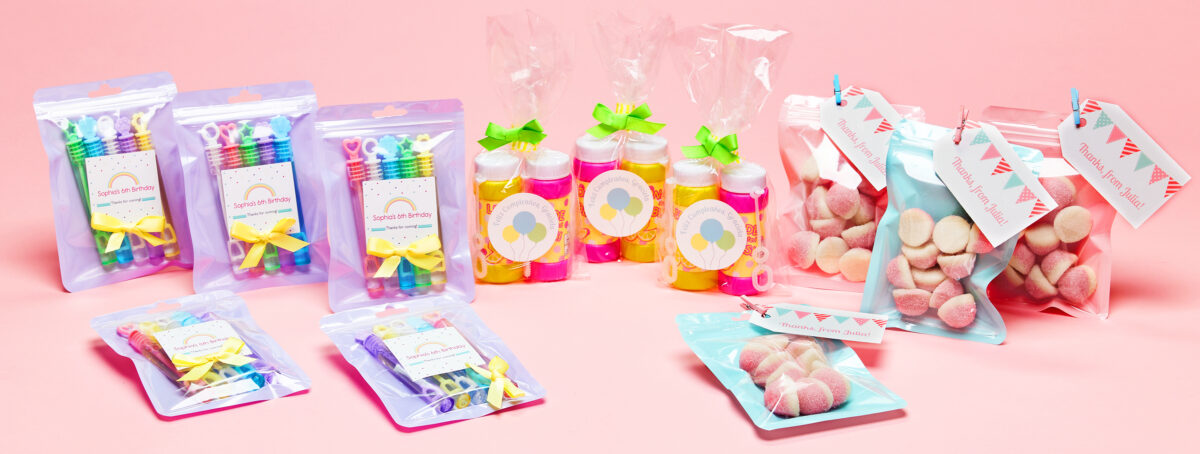
DIY party favors your guests will love
Whether you’re planning a kids’ birthday party, a wedding, or even a classy retirement party, party favors are a fantastic way to personalize any event. In fact, store-bought and generic party supplies can be instantly elevated with the right favor. They’re also much easier to make yourself than you might think. To that end, we’ve rounded up our best party favor ideas, plus free templates you can customize and print right from your desktop. Additionally, we’ve included a few simple tips to show you how to make personalized DIY party favors your guest will love.
More articles you might like:
- Party Planning Tips: How to Plan an Awesome Birthday Party
- 19 DIY Party Ideas for Your Best Celebration Yet
- How to Create & Print Personalized Gift Tags
How to make party favors
On the whole, making DIY party favors doesn’t have to be a huge project, there are definitely ways to keep it simple. In fact, there are just four steps and with a little creativity you can get a totally custom look for a fraction of the price of custom-made favors. We’ll dig in to the specifics below, but here are key steps to make party favors:
- Decide what to put in party favor bags
- Pick a container
- Personalize with a label or tag (or fabric transfer)
- Assemble
What to put in party favor bags
Undoubtedly, choosing exactly what to give in party favor bags is a great place to start. Once you have that figured out, it will be easier to find the right size bag (or other container) for your party favor ideas. Of course, with all the choices out there it can feel overwhelming, but the good news is that there’s no shortage of places to find cool small items to include. For example, you can find tons of goodies at the dollar store, online, party stores, or even at the discount section in big box stores. (Target dollar section, we’re looking at you!)
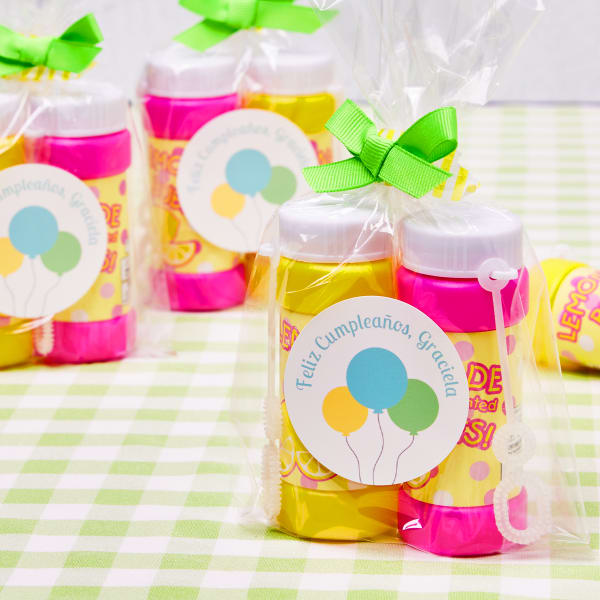
When you’re making party favors for kids, some good items are candy, small healthy snacks, small toys, bubbles, fun pencils and erasers, mini puzzles, mini games, stickers, temporary tattoos. While cheap assorted candy might not appeal to adults, mini booze bottles, gourmet chocolate, candles, tea samples, and coffee samples are elevated edible party favor ideas. Equally great party favor ideas for adults include small succulent or herb plants, personalized bottle openers, playing cards, beverage koozies, lip balm, and mints.
What can I put in my goody bag other than candy?
Of course, you may not want to put candy in your goody bags. In that case, here is a quick cheat sheet of non-edible party favor ideas for kids and adults.
| Kids | Adults |
|---|---|
| Small toys Bubbles Mini Play Doh Fun pencils & erasers Mini Puzzles Mini Games Plastic jewelry Temporary tattoos Stickers | Mini succulents Mini herb plants Bottle openers Playing cards Beverage koozies Lip balm Mints Fancy hand sanitizer Small candles |
Pick a container
To be fair, there are some party favor ideas that you can give as stand-alone favors instead of including inside a bag, box, or other container. For example, candles and small plants can easily be dressed up with a tag or label and given as party favors all by themselves.
However, sometimes it’s a lot easier to make high-impact party favors by rounding up several small items. For example, small gift bags or boxes, poly bags, plain paper bags, Mason jars, and ornament boxes are all fantastic options for filling with small items. Another party favor idea is to make the bag reusable. Indeed, personalized tote bags and fabric pouches make great party favor bags and are useful for guests long after the party.
Moreover, if you’re interested in making personalized totes or pouches for your next party, we have a great fabric transfer resource page. In short, you’ll find tons of ideas and tutorials that show you the best types of transfers to use for looks and different fabrics.
Personalize with a label, tag, or fabric transfer
All things considered, the label and tag choices for creating personalized party favor ideas are virtually endless. Especially when you consider the option to buy blank labels by the sheet where you can choose pretty much any combination of size, material, and shape. However, there are a few products that jump to the top of the list for their versatility:
- 2″ round glossy white labels (22807)
- 2″ x 3-1/2″ banner tags with strings (22802)
- Fabric transfer for light fabrics (3271)
The reason why we picked 2″ round glossy white labels is because they’re a great size for most items. They work on candles, plants, candy bags, and so much more, not to mention the glossy sheen makes colors really pop. If 2″ round labels don’t work for your party favor idea, then head on over to our resource page for finding the perfect label size for different containers.
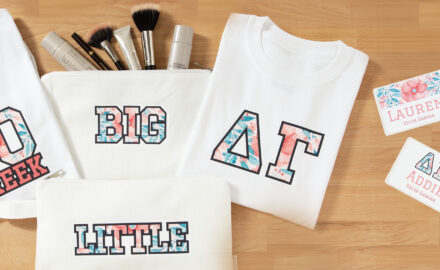
When it comes to fabric transfers, we recommend the fabric transfers for light fabrics because they work best on canvas. Generally, light, off white canvas is the most common fabric used for DIY totes, aprons, and pouches that you’ll find at craft stores and online. Furthermore, our light fabric transfers work best on 100% cotton and cotton blend fabrics, so they’re ideal for birthday tees too.
How to find predesigned Avery templates to customize
As a matter of fact, the easiest way to find templates for party favor ideas is to browse this article. Once you find a template you like, click “customize” and it will open in Avery Design and Print Online (ADPO). When the template is opened in ADPO, you can edit it to add personalized text, images, colors, and more.
If you’ve never used free Avery templates before, then you might want to check out some of our resources to get started. For example, this article in our Help Center walks you through how to find templates on our website.
How to assemble party favor ideas
Once you’ve picked out items and chosen a container, assembling party favors is pretty easy. If you decide to use a personalized tote or pouch, then you’ll definitely want to closely follow the directions for using iron-on fabric transfers. Different kinds of fabric transfers are applied differently, so it’s important to use the instructions for the specific kind you’re using. While you can find all instructions on our fabric transfer resource page, you will most likely need the instructions for light fabric transfers. This is because most DIY totes and pouches are made of light beige or off-white canvas.
Tags, of course, are super easy to apply to party favor ideas as you just tie them on. Labels are relatively easy as well, however, sometimes it can be tricky applying them to items like jars and candles. Be that as it may, we have the perfect article to help you apply labels perfectly.
Party favor ideas for kids parties
So, are party favors a must? Obviously, that really depends on the type of party. For instance, if you’re taking your kids and their friends to an amusement park or the like, you probably won’t want to bring a lot of extra stuff. However, party favors are usually a good idea for most kids’ birthdays, especially the younger they are. This way everyone gets something fun to play with, so there’s no fighting over the birthday kid’s presents. It’s also a nice way to say thanks for attending!
1) Western-themed trail mix goody bags
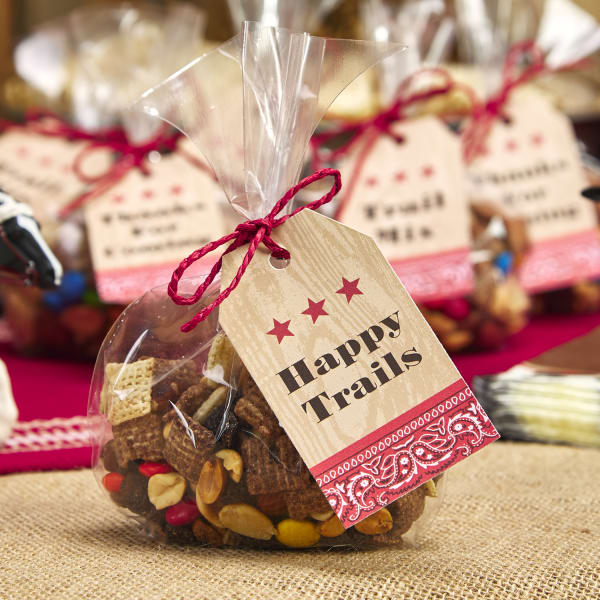
Print this design on Avery 22802 tags using a laser or inkjet printer.
Alternatively, choose “Let Us Print for You” after finishing your design to order custom-printed tags.
2) Sheriff’s bandanna kids party favor
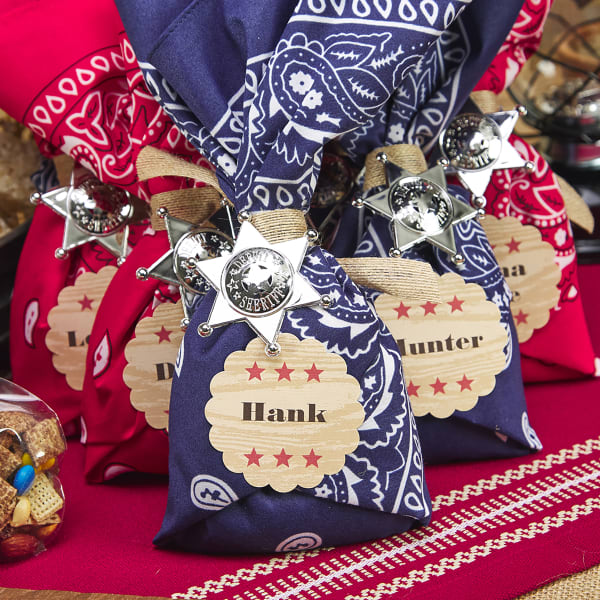
Print this design on Avery 2-1/2″ scalloped round labels sold by the package (8218), or by the sheet (94516).
You can also choose “Let Us Print for You” after finishing your design to
3) “Mermaid scales” party favor idea
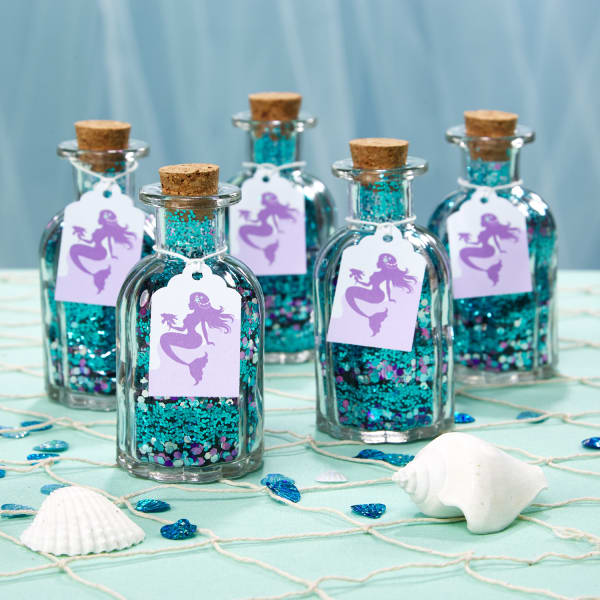
Print this design on Avery 22848 scallop tags using a laser or inkjet printer.
Alternatively, you can finish your design, then choose “Let Us Print for You” to order custom-printed scallop tags.
4) Mermaid party favor bags
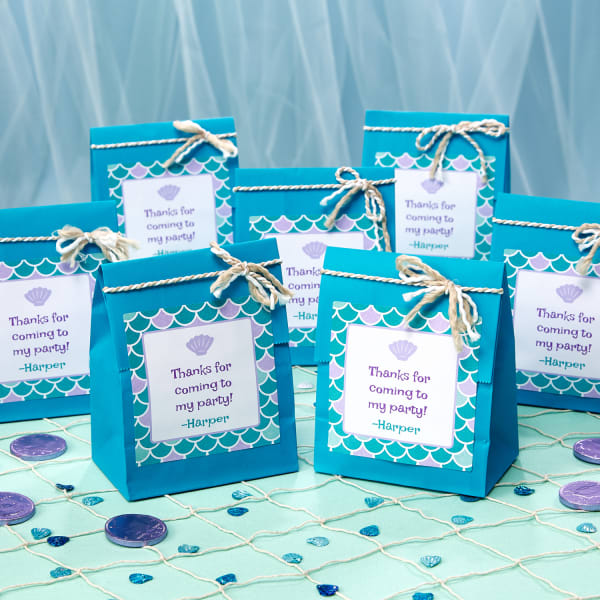
Print this design on 4″ x 4″ square labels sold by the sheet (94100) using a laser or inkjet printer.
Or, simply choose “Let Us Print for You” to order custom-printed square labels after you finish designing.
5) “Make a Splash” goody bag tags
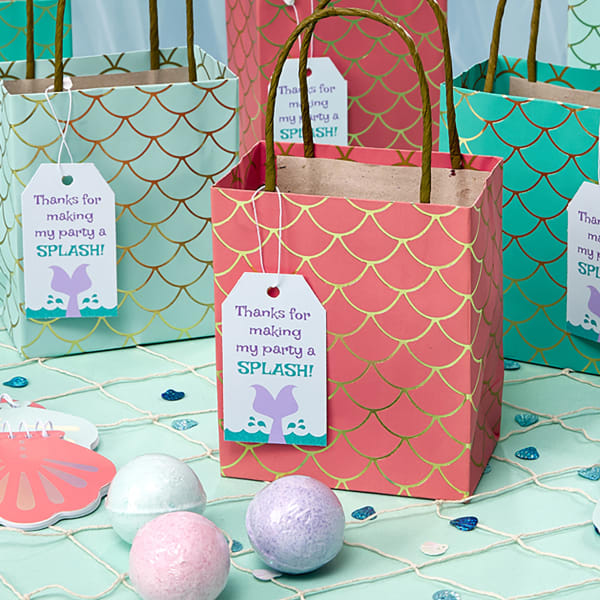
Print this design on Avery 22802 tags using a laser or inkjet printer.
Alternatively, you can finish your design, then choose “Let Us Print for You” to order custom-printed tags.
6) “Mermaid hair, don’t care” party favor idea
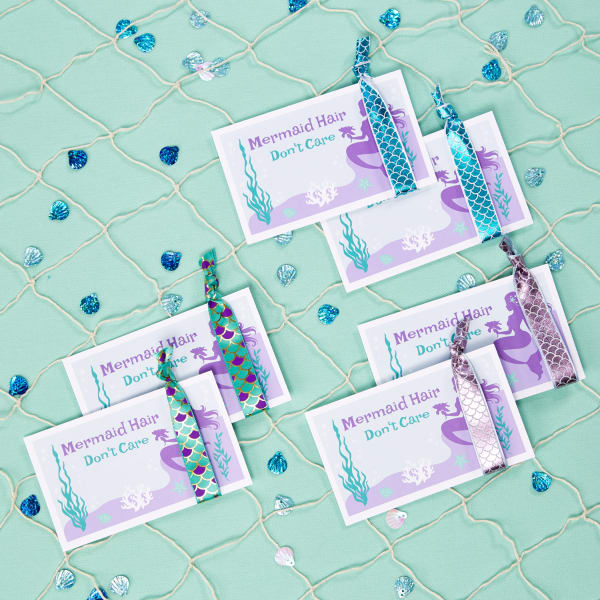
Print this design on Avery 5388 index cards designed to work with either laser or inkjet printers.
7) Baseball VIP badge party favor
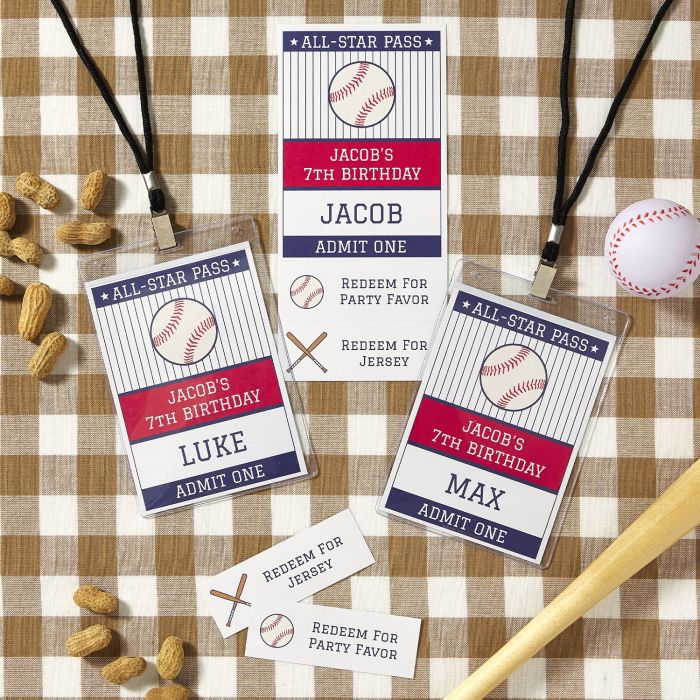
Print this design on Avery printable name badges (8250). These badges come with clear plastic holders and lanyards!
8) Mini baseball bat party favor idea
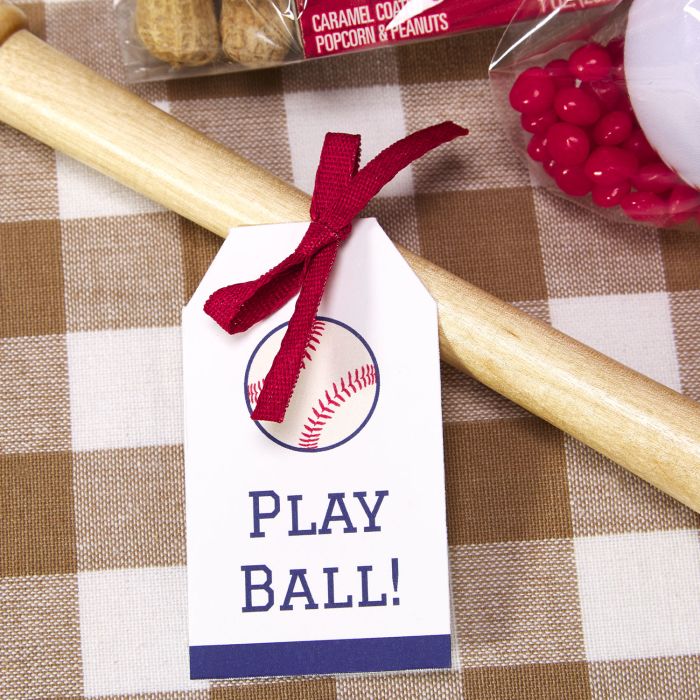
Print this design on Avery 2″ x 3-1/2″ banner tags (22802). Or, finish customizing, then choose “Let Us Print for You” to order custom-printed banner tags.
9) Baseball party t-shirt idea
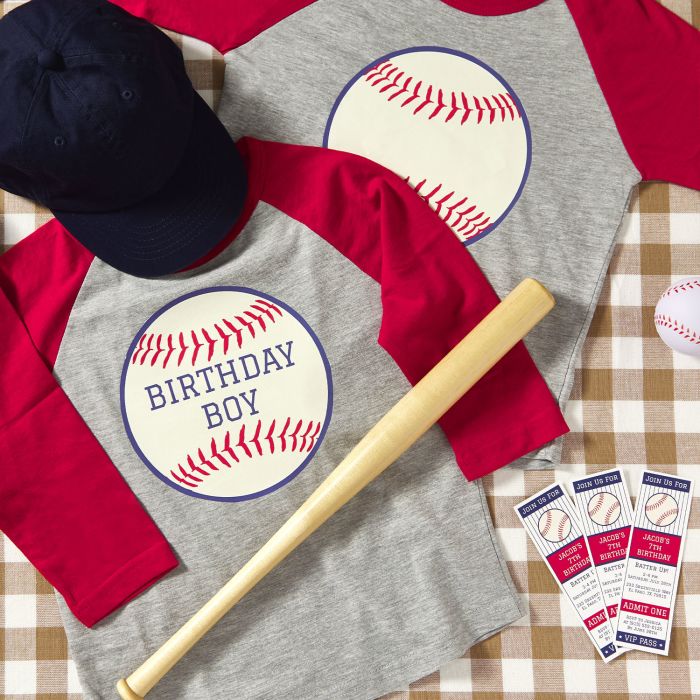
Print this design using an inkjet printer and Avery 3279 fabric transfers for stretch fabrics.
Check out these helpful instruction videos for printing and applying this type of transfer.
10) Comic book candy party favors
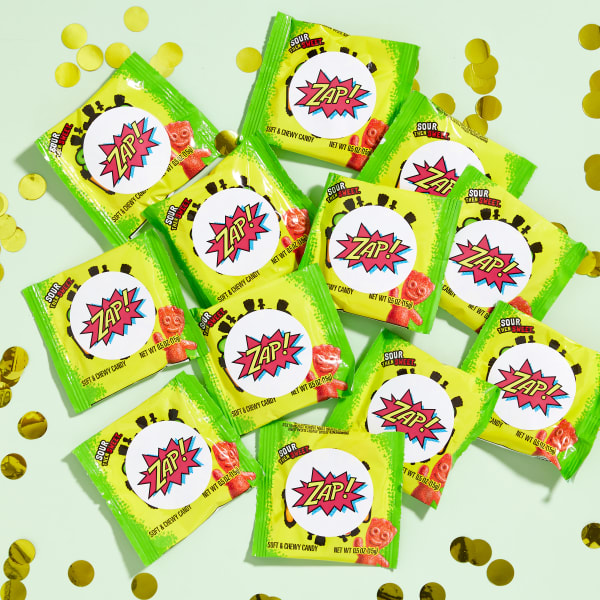
Print this design on Avery 22807 2-inch round labels sold by the package or by the sheet (94501). Both work with laser or inkjet printers.
You can also have finished designs printed for you with our professional WePrint service.
11) Camping party “pick and mix” trail mix bags
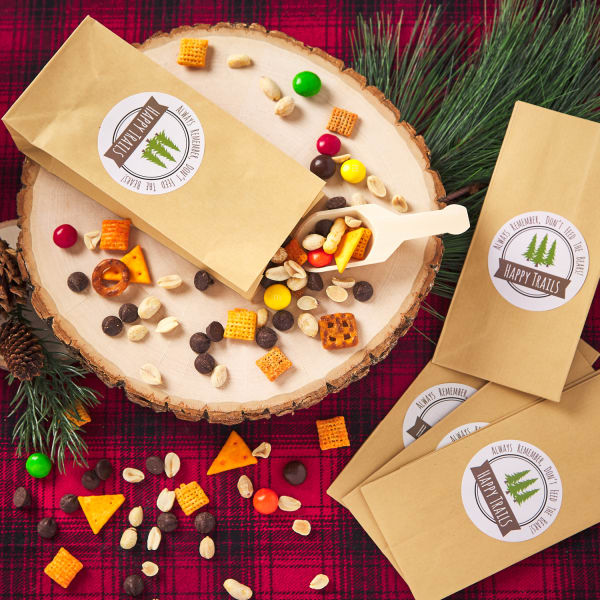
Print this design on our glossy white round labels sold by the sheet (94502). Or, after you’ve customized the design, choose “Let Us Print For You” to have them custom printed.
12) S’mores party favor idea
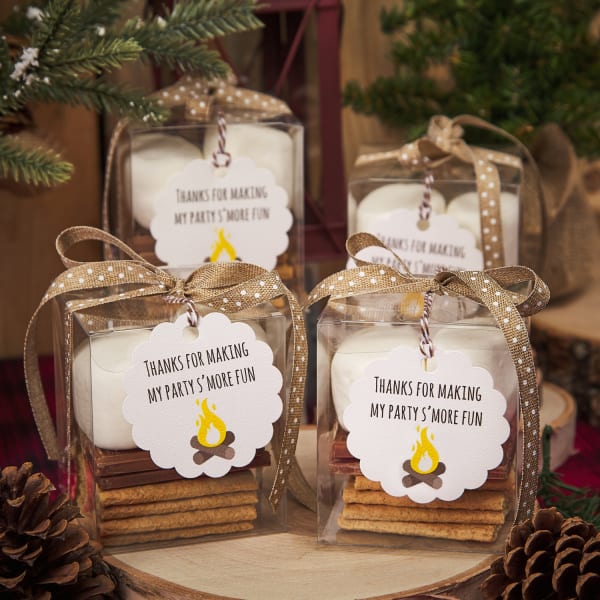
Print this design on Avery 2-1/2″ round scalloped tags (80511). Or, choose “Let Us Print for You” after customizing to order custom-printed round scallop tags.
Party favor ideas for adults
While you may be wondering, “what age do you stop giving goody bags?” we think it’s not about stopping, but rather transitioning. Once your kids reach their teens, switch to less toys and more candy or snacks. Then transition to more elevated party favors for adults. For instance, the best party favor ideas for adults are decadent treats they can enjoy in the moment, something useful, or a personal memento such as a photo.
13) Travel-themed passport photo card
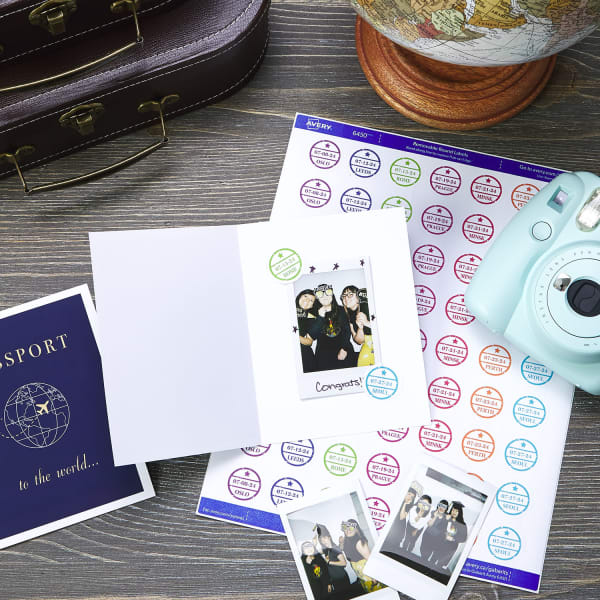
Print DIY passport booklets on Avery 8315 note cards for inkjet printers or 5315 note cards for laser printers.
Print passport stickers on Avery 6450 1-inch round labels sold by the package. These labels work with both laser or inkjet printers.
14) Champagne favors for Valentine’s Day parties
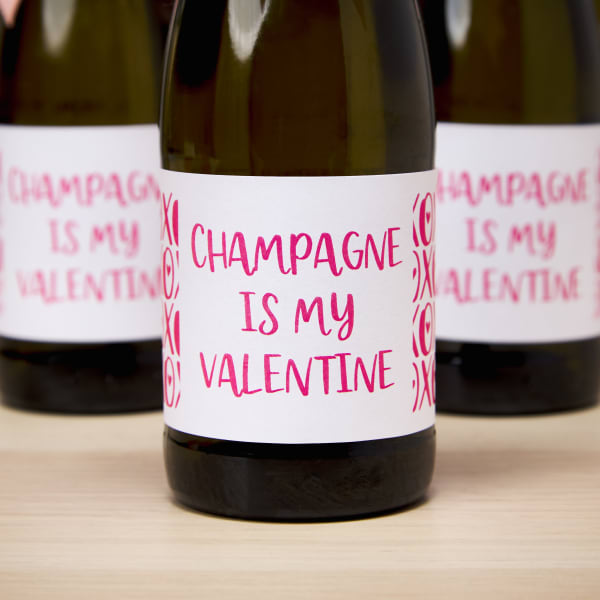
Print this design on 2″ x 4″ labels in any material, color, or finish that you like (94207). Simply click the material drop-down menu on the blank label calculator page to view all material choices.
You can also choose “Let Us Print for You” when you’re done designing to order custom-printed 2″ x 4″ rectangle labels.
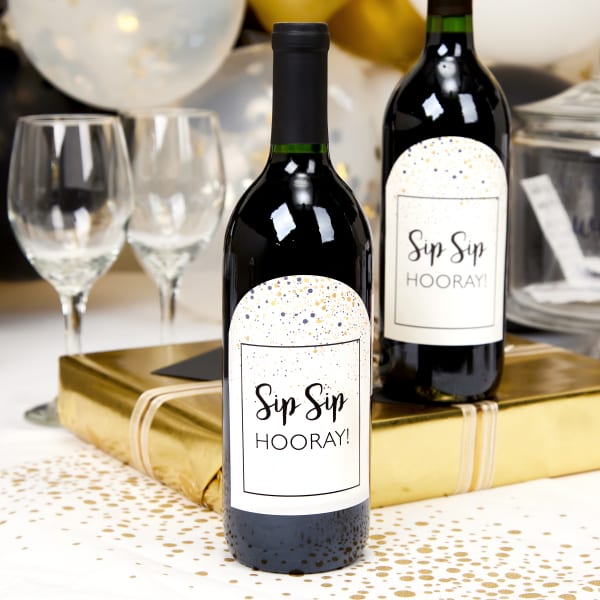
15) “Sip Sip Hooray” wine bottle party favors
Print this wine bottle design yourself on 4-3/4″ x 3-1/2″ arched labels available in a package (22826) or by the sheet (94600).
Or, click “Let Us Print for You” when you’re done customizing to order custom-printed wine bottle labels.
16) Gourmet chocolate party favors
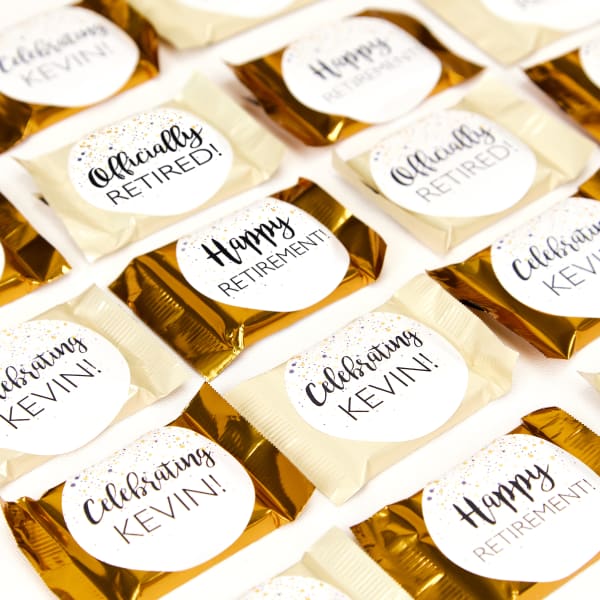
Print this design on glossy white 2-inch round labels sold by the package (22807) or sold by the sheet (94501).
Or, click “Let Us Print for You” when you’re done customizing to order custom-printed round labels.
Festive party favor ideas for the holidays
For the purpose of holiday party favors, you can use the same guidelines as party favors for adults: decadent treats, useful items, and mementos. However, adding a healthy dash of nostalgia and festivity pretty much guarantees your party favor ideas are a hit during the holidays.
17) “North Pole Bakery” apron party favors
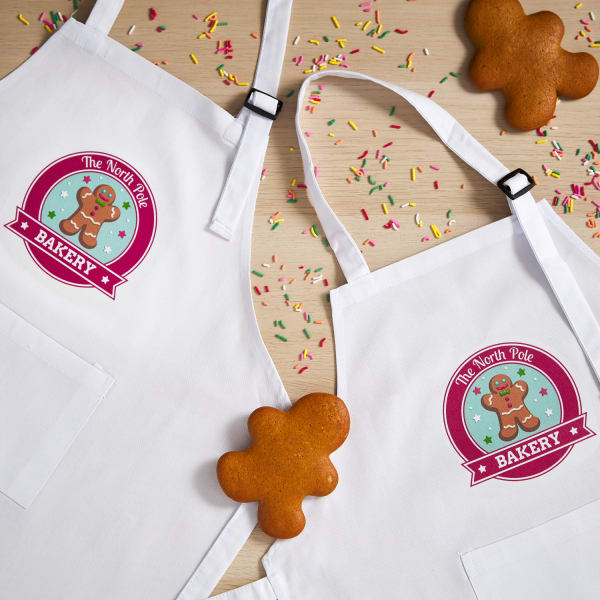
Print this design using an inkjet printer and Avery 3271 fabric transfers for light fabrics.
Just getting started with transfers? Watch this instructional video for applying with an iron or this video for applying with a heat press.
18) Personalized gingerbread aprons
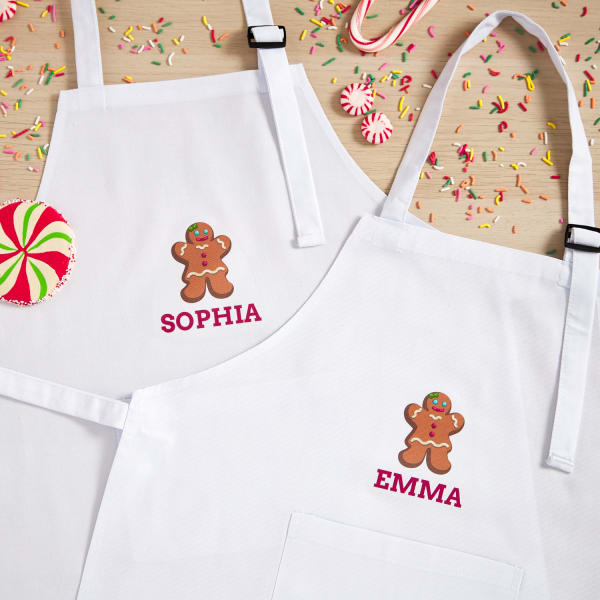
Print this design using an inkjet printer and Avery 3271 fabric transfers for light fabrics.
Find more fabric transfer styles and sizes for different fabric types here.
19) Gingerbread house cookie cutter tags
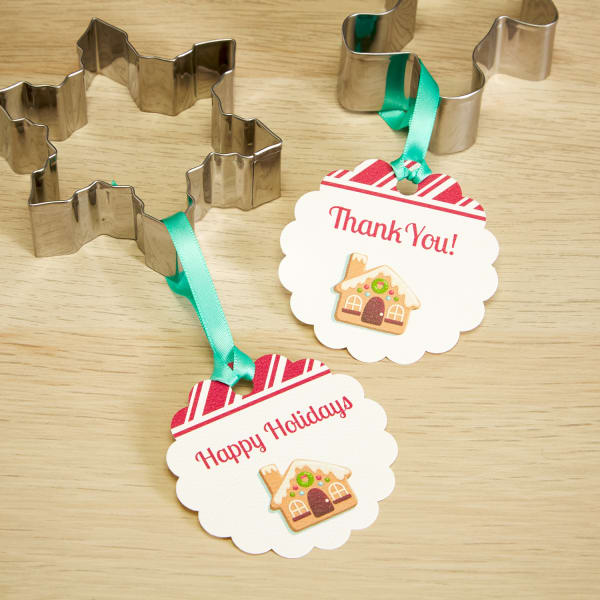
Print this design on Avery 80511 round scalloped tags, which are designed to work with laser or inkjet printers.
Or, after customizing, choose “Let Us Print for You” to order custom-printed round scallop tags.
20) Potpourri party favor idea
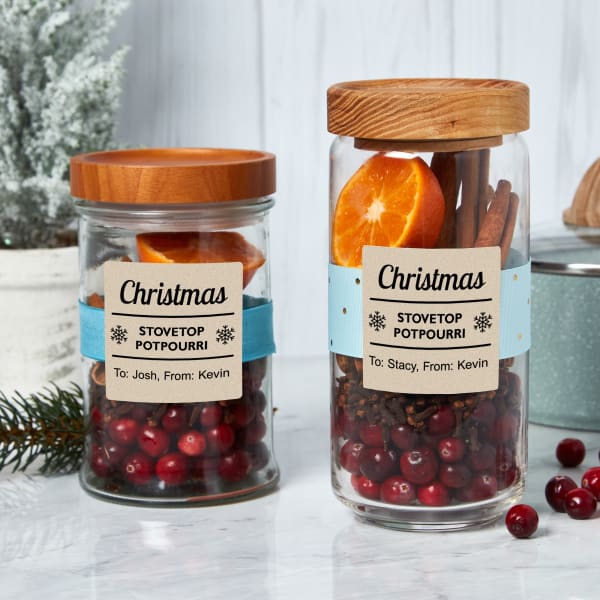
Print this design yourself on printable Kraft labels by the package (22846), or by the sheet.
You can also order custom-printed Kraft labels.
21) Red and white Christmas party favor
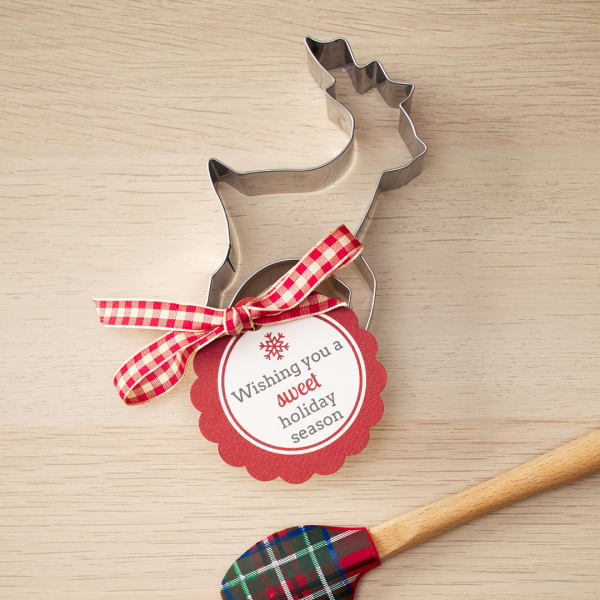
Print this design on printable round scallop tags (80511). Or, order custom-printed round scalloped tags.
22) “Happy Holidays” cookie cutter party favors
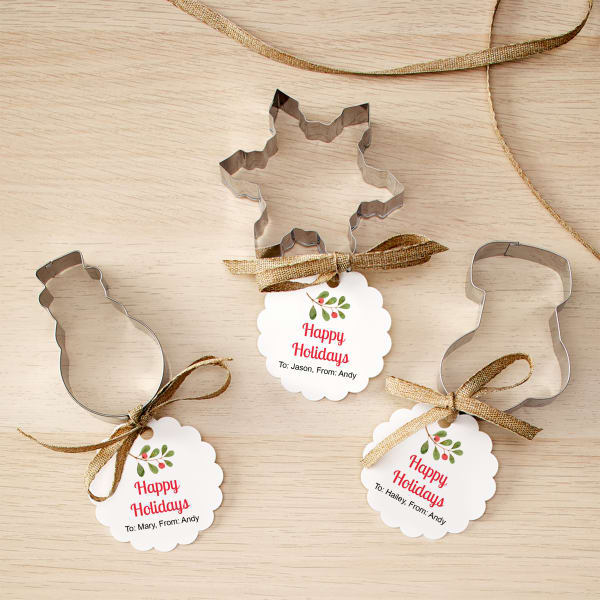
Print this design on printable round scallop tags (80511). Or, order custom-printed round scalloped tags.
23) Christmas pineapple party favor idea
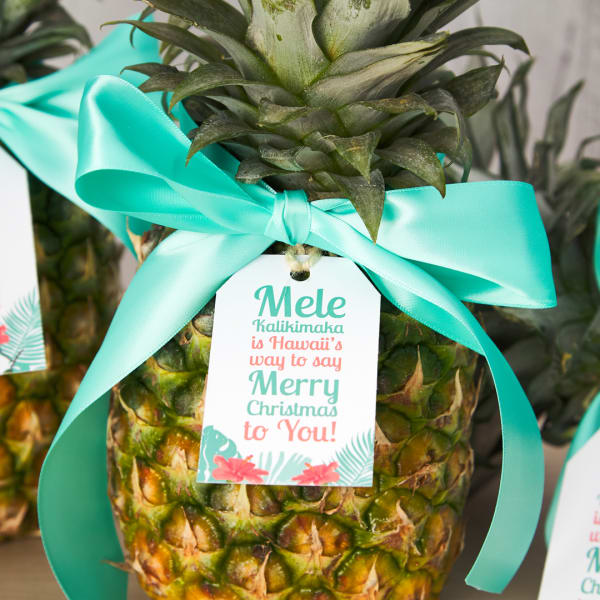
Print this design yourself on our printable tags (22802). Or, order custom-printed rectangle tags.
24) Simple snowflake cookie cutter favor
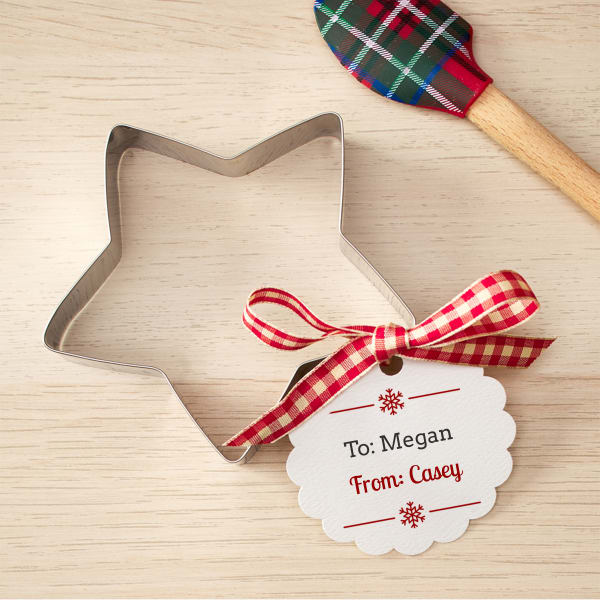
Print this design on printable round scallop tags (80511). Or, order custom-printed round scalloped tags.
Mason jar party favor ideas
For the most part, Mason jars make excellent containers for most party favor ideas, provided guests are not too young safely handle a glass jar. What’s more, Mason jars are useful for storing food or organizing small items at home too, so they can be reused later. In fact, they also make excellent containers for gifts so we devoted a whole article to unique jar gift ideas and how to make them.
25) “Hoppy Easter” candy jar favors
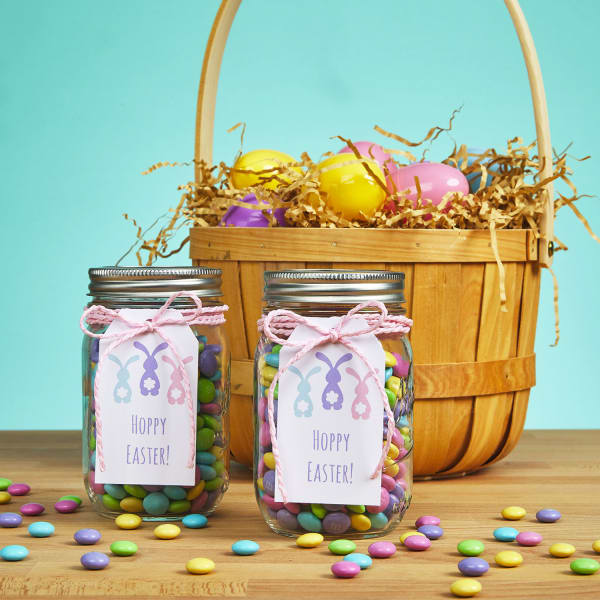
Print this design on Avery 22802 tags, which are designed to work with laser or inkjet printers.
Or, choose “Let Us Print for You” after customizing to order custom-printed banner tags.
26) Hot cocoa mix holiday party favor
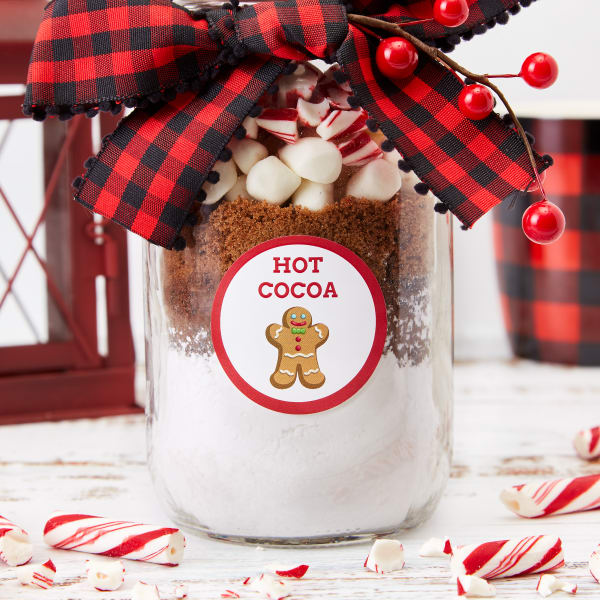
Print this design yourself on 2″ round labels by the package (22807) or by the sheet.
You can also order custom-printed round labels.
27) Chex mix party favor idea for Christmas
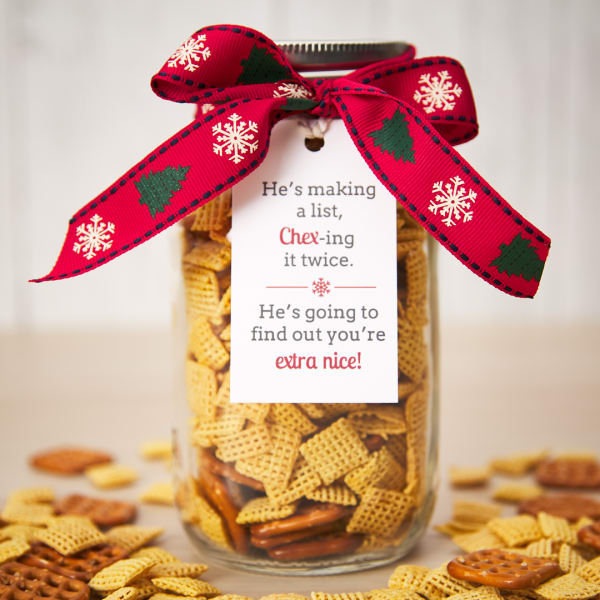
Print this design yourself on our printable tags (22802). Or, order custom-printed rectangle tags.
28) Bean soup party favor in a jar
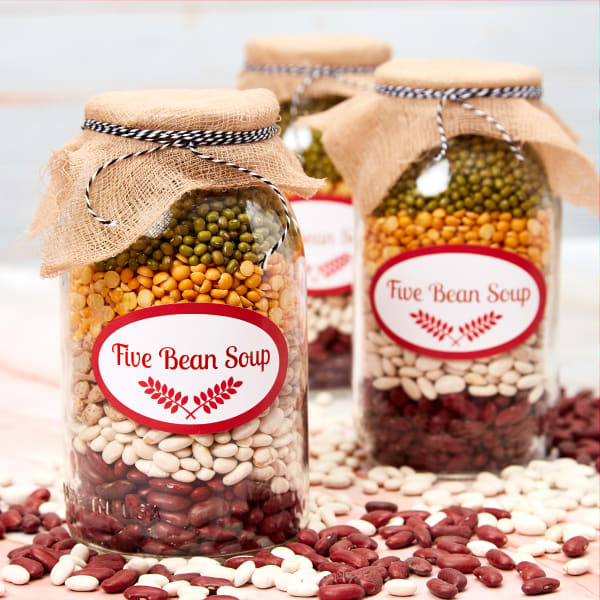
Print this design on 2″ x 3-1/3″ oval labels by the package (22820) or by the sheet (94056). Or, order custom-printed oval labels.
29) Rainbow-in-a-jar party favor idea
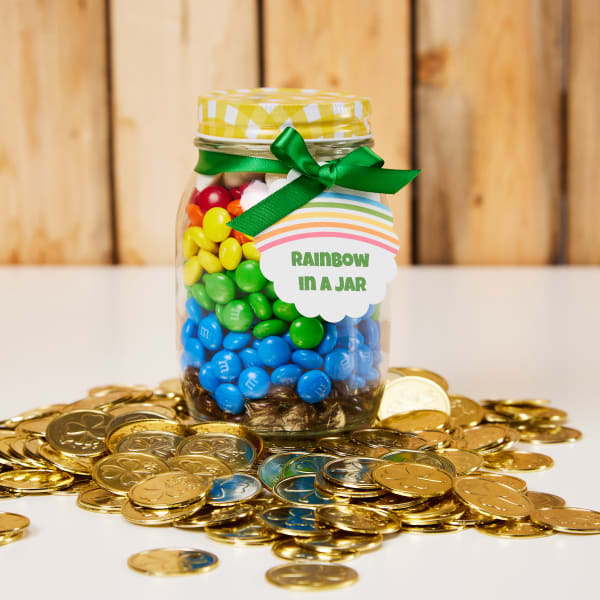
Print this design on Avery 2-1/2″ round scalloped tags (80511). Or, choose “Let Us Print for You” after customizing to order custom-printed round scallop tags.
Wedding party favor examples
Unquestionably, party favor ideas for weddings, definitely need to fit the theme as they often double as part of the table settings or table décor. Unlike kids parties, wedding décor can be extremely specific, so it’s important to be able to update favors with personal details, like a specific wedding color. For this reason, the wedding party favor examples below are all made with templates that can be edited to include custom colors and text!
30) “His & Hers” wedding party favor examples
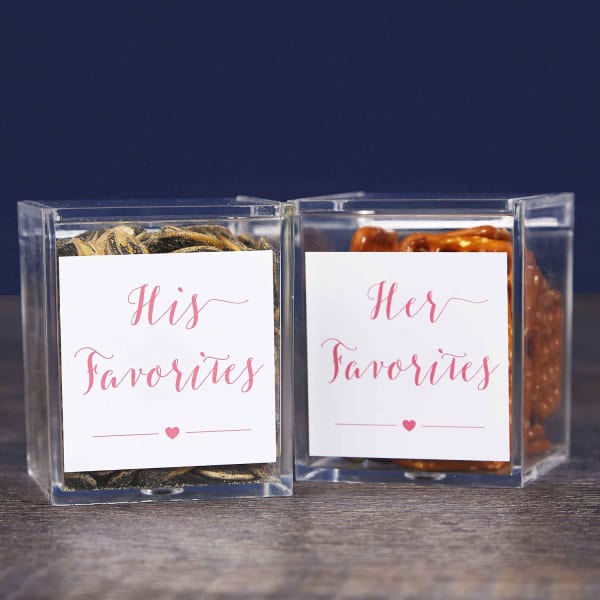
Print this design on 2-inch square labels sold by the package (22806) or by the sheet (94107).
You can also choose “Let Us Print for You” after customizing to have your labels custom printed.
31) Wedding favor snack labels
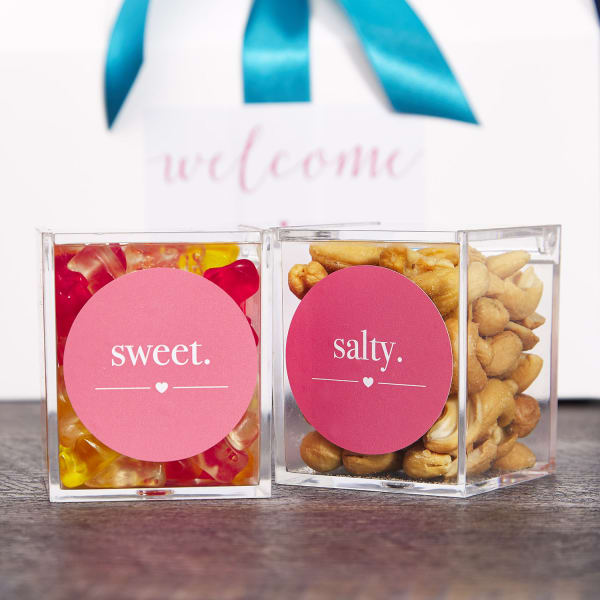
Print this design on Avery 22807 glossy white labels, sold by the package. Or, buy 2″ round labels by the sheet (94501) to choose a different label material.
You can also choose “Let Us Print for You” after customizing your design to order custom-printed round labels.
32) “Mint to Be” wedding party favor idea
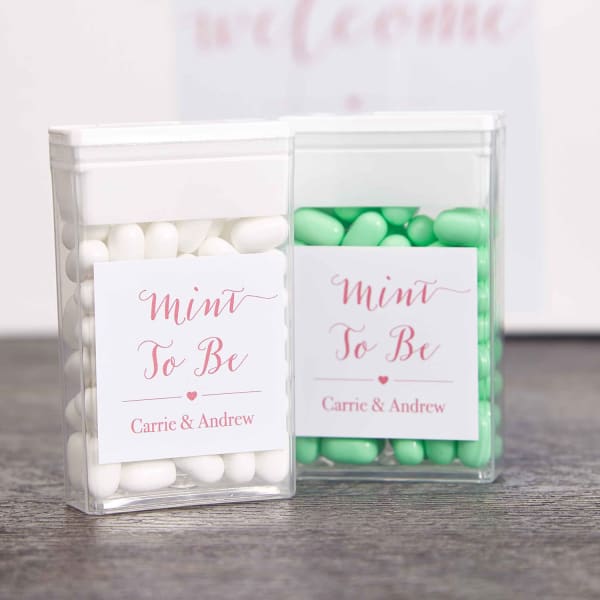
Print this design on 1-1/2″ square labels sold by the package (22805).
Alternatively, finish customizing your design, then choose “Let Us Print for You” to have your labels custom printed.
33) Mini succulent party favors for a wedding
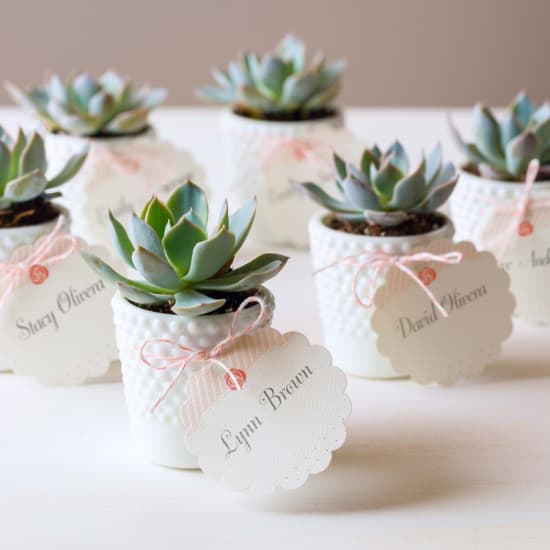
Print this design on Avery 2-1/2″ round scalloped tags (80511). Or, choose “Let Us Print for You” after customizing to order custom-printed round scallop tags.
34) Bridesmaid t-shirt party favors
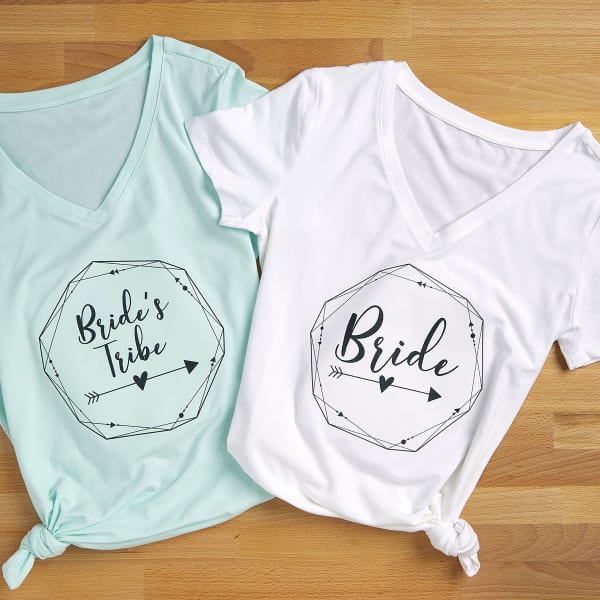
Print this design using an inkjet printer and Avery 3271 fabric transfers for light fabrics.
Check out these helpful videos for printing and applying light fabric transfers.
35) Champagne bubbles bridal shower favors
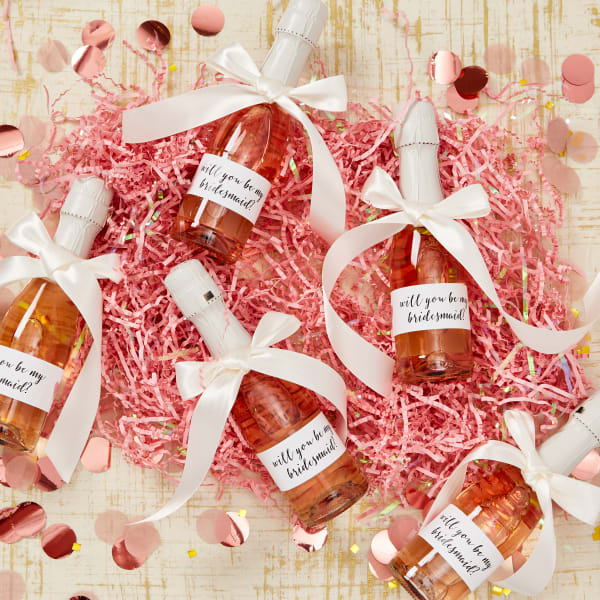
Print this design on 9-3/4″ x 1-1/4″ wraparound labels sold by the package (22845) or by the sheet (94262).
Alternatively, finish customizing, then choose “Let Us Print for You” to order custom-printed bottle labels.
36) Snack box wedding party favors
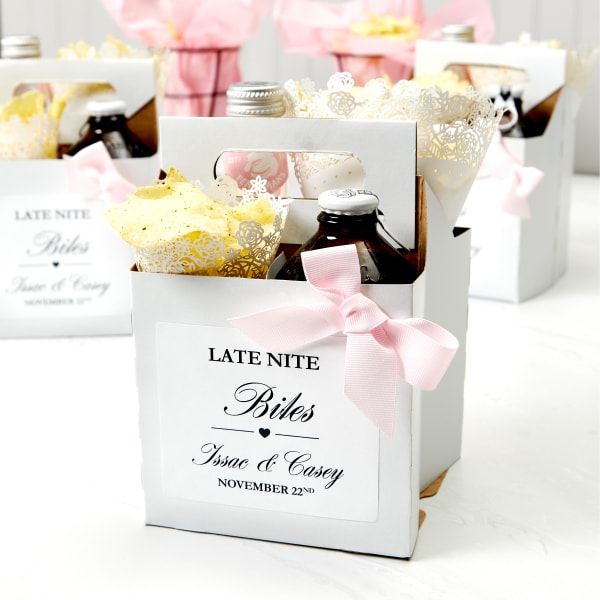
Print this design on 3-1/3″ x 4″ labels sold by the package (5164).
Or, choose “Let Us Print for You” after customizing to order custom-printed rectangle labels.
Favors to personalize a birthday party
Generally speaking, one of the best ways to personalize a birthday party is with the favors. And it’s so easy to do on your own that there’s really no need to go to an expensive custom shop. When you use free Avery templates, you can easily add your own colors, or graphics from our graphic library, or you can just use one of the free templates below and add personalized text. For example, many of our examples feature the birthday star’s name, age or a thank you message.
37) Personalized birthday goody bags
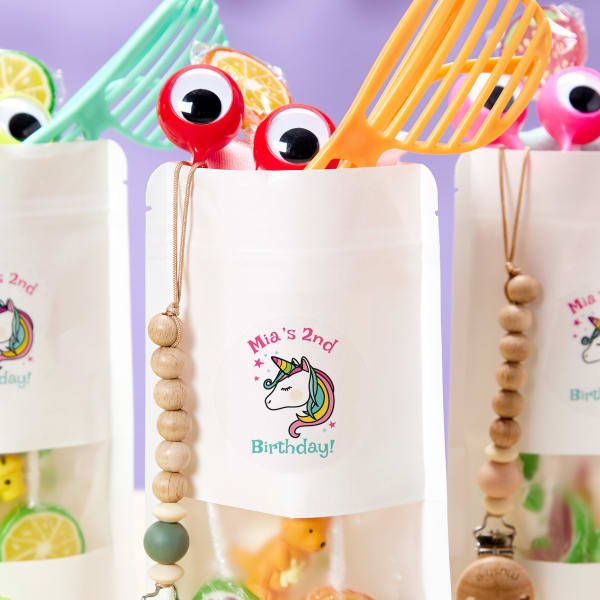
Print this design on Avery 22830 2-1/2″ glossy white round labels designed to work with laser or inkjet printers.
Or, simply choose “Let Us Print for You” after you’re done designing to order custom-printed round labels.
38) Play Doh birthday party favors
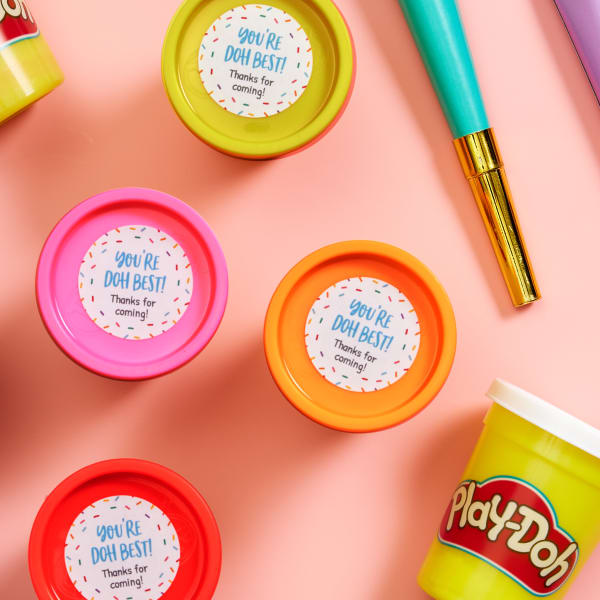
Print this design on Avery 1-1/2″ round labels, which is the perfect size for party-size Play Doh! You can order 1-1/2″ round labels by the package (8293) or by the sheet (94506).
Or, simply choose “Let Us Print for You” after you’re done designing to order custom-printed round labels.
39) Personalized bandana party favors
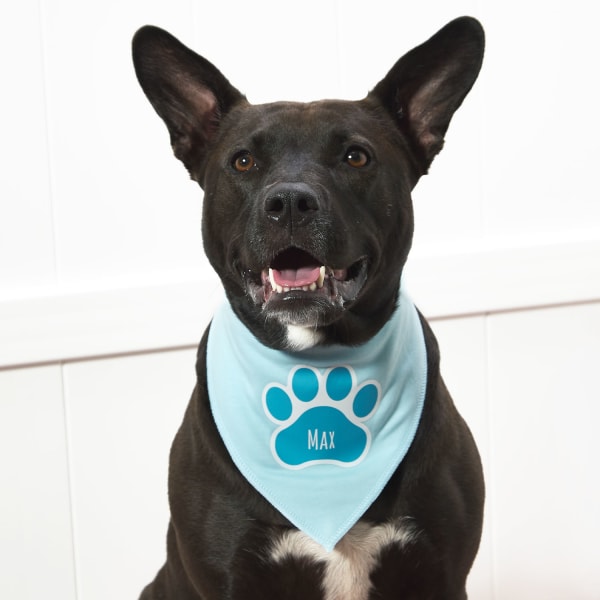
Print this design on Avery 3279 Dark Fabric Transfers. These transfers are designed to be printed with inkjet printers and work best on dark-colored 100% cotton or cotton blends with minimal stretch.
40) Personalized birthday doggy bags
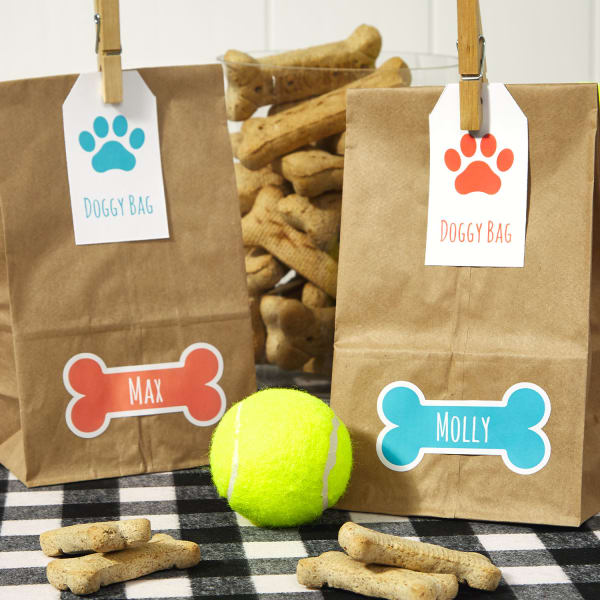
Print this paw print design on Avery 22802 tags designed to work with laser or inkjet printers.
Or, choose “Let Us Print for You” after designing to order custom-printed tags.
41) Birthday party favor box idea
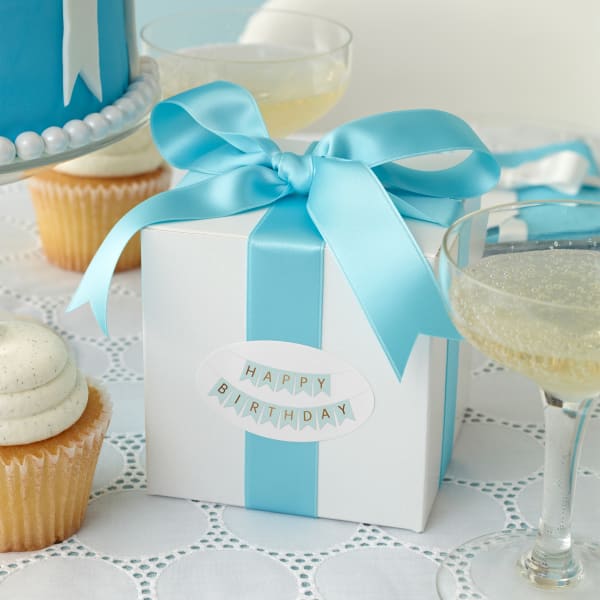
Print this design on 2″ x 3-1/3″ oval labels by the package (22820) or by the sheet (94056). Or, order custom-printed oval labels.
42) Blue birthday bunting party favor tag
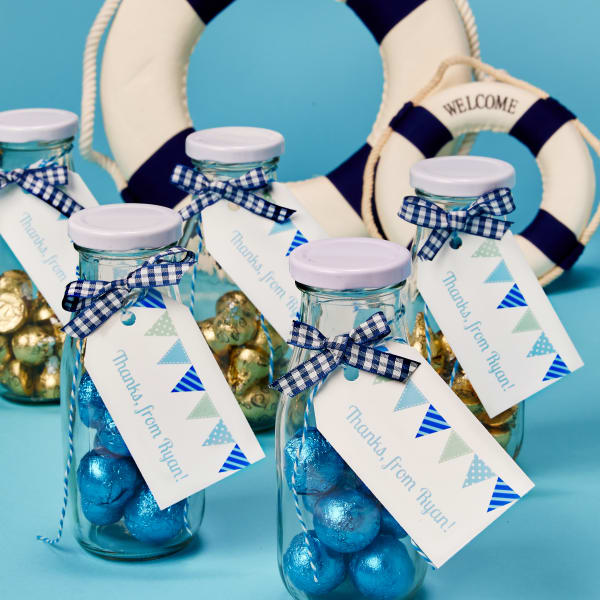
Print this design on Avery 2″ x 3-1/2″ banner tags (22802). Or, finish customizing, then choose “Let Us Print for You” to order custom-printed banner tags.
43) Pink birthday bunting party favor bag
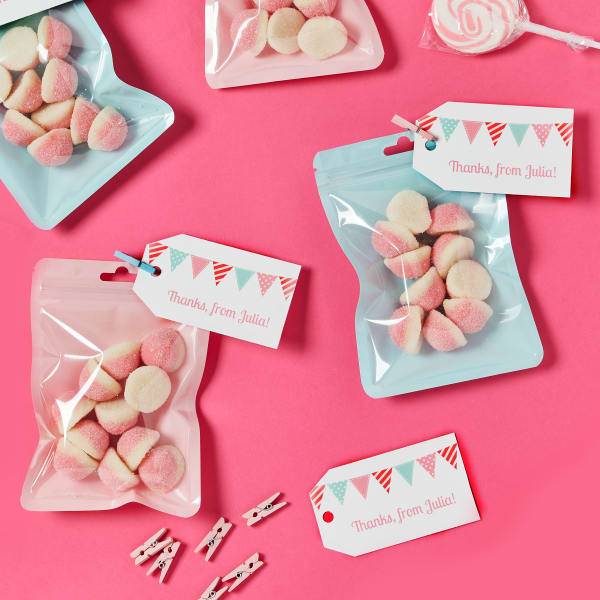
Print this design on Avery 2″ x 3-1/2″ banner tags (22802). Or, finish customizing, then choose “Let Us Print for You” to order custom-printed banner tags.
44) Rainbow birthday labels for goody bags
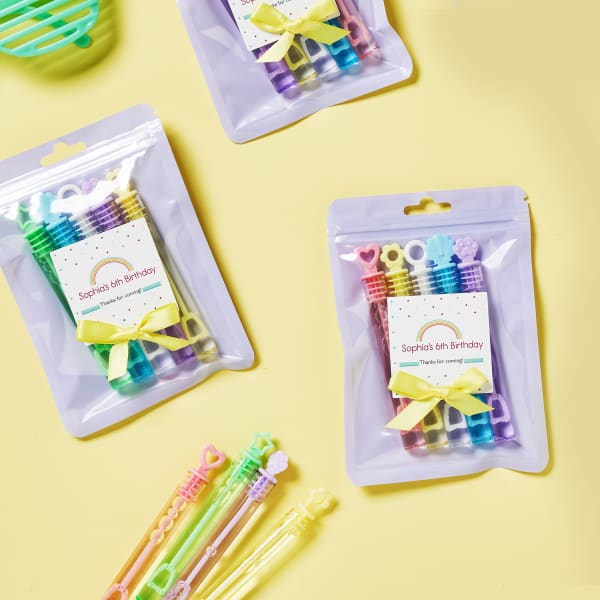
Print this design on glossy white 2-inch square labels sold by the package (22806) or sold by the sheet (94107).
Or, click “Let Us Print for You” when you’re done customizing to order custom-printed square labels.
45) Sweet moon-themed birthday labels
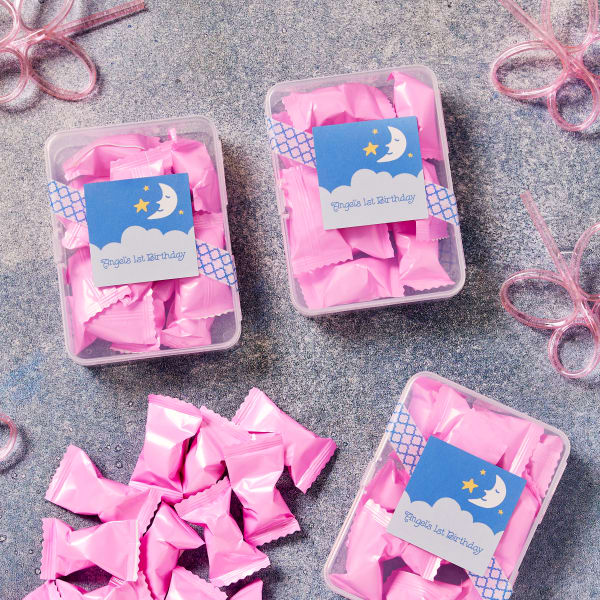
Print this design on glossy white 2-inch square labels sold by the package (22806) or sold by the sheet (94107).
Or, click “Let Us Print for You” when you’re done customizing to order custom-printed square labels.
46) Birthday balloon labels you can personalize
Print this design on glossy white 2-inch round labels sold by the package (22807) or sold by the sheet (94501).
Or, click “Let Us Print for You” when you’re done customizing to order custom-printed round labels.
47) Sprinkles birthday favor labels
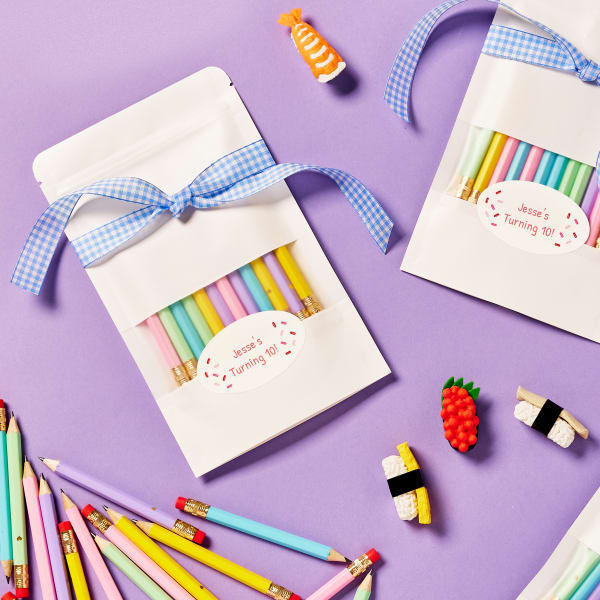
Print this design on 2″ x 3-1/3″ oval labels by the package (22820) or by the sheet (94056). Or, order custom-printed oval labels.
How to make personalized party favors right from your desktop
Making your own personalized party favors is much easier than you might think. In fact, there are just four simple steps for making party favors:
- Decide on party favor items. Online retailers, the dollar store, and party stores are great resources, not to mention discount sections in big box stores.
- Pick a container for the items. Some great choices include small gift bags or boxes, poly bags, plain paper bags, and ornament boxes, as well as Mason jars, totes, and fabric pouches that can be reused.
- Personalize it with a label, tag, or fabric transfer. Add a custom label or tag coupled with just about party favor bag or box. You may also consider personalizing totes or pouches with fabric transfers for reusable party favors.
- Assemble your party favors. Once everything is ready, fill your party favor containers with the small items you’ve gathered. Finally, top it off with a label or tag, and you’re done!
Regardless of the items and containers you choose, Avery printable labels, tags, and iron-on fabric transfers make it easy to personalize them. In fact, you can bring your party favor ideas to life right from your desktop using our free online software and free customizable templates.
Are you planning a party soon? You can find more party planning ideas on our Pinterest page, or follow us on Instagram for inspiration and share your own projects using #averyproducts.